Built-in Legal Support for Unpaid Invoices

Business Invoicing & CRM for Multiple Ventures

Manage invoices , customers, and payments across multiple businesses . Your comprehensive solution for professional invoicing and client management .

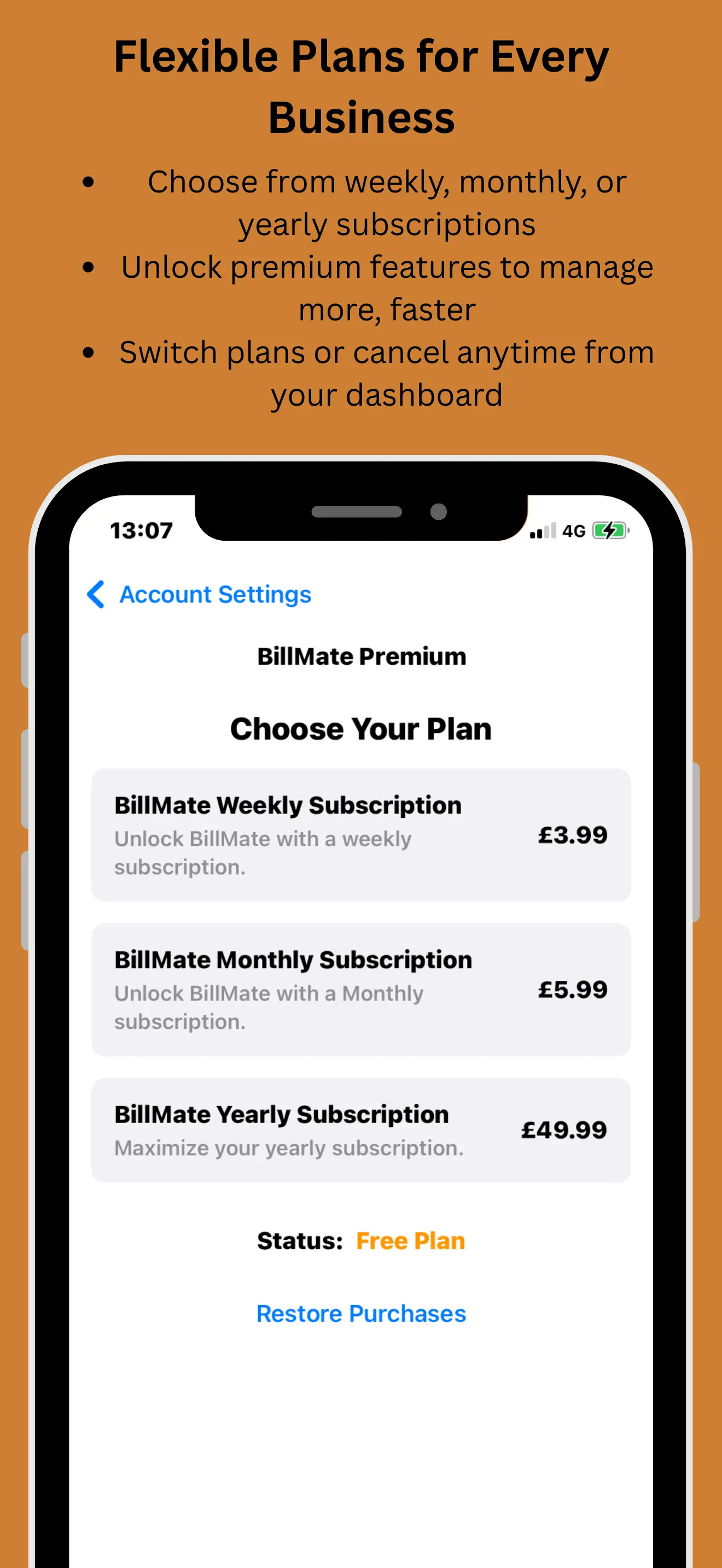
Weekly: £3.99
Monthly: £5.99
Annual: £49.99 BEST VALUE

See BillMate in Action

Watch how business owners create professional invoices, track expenses, and manage multiple businesses — all from one app rated 5 stars.

Join the UK's highest rated invoice app

Your Business Command Center

Everything you need to manage and grow your business professionally

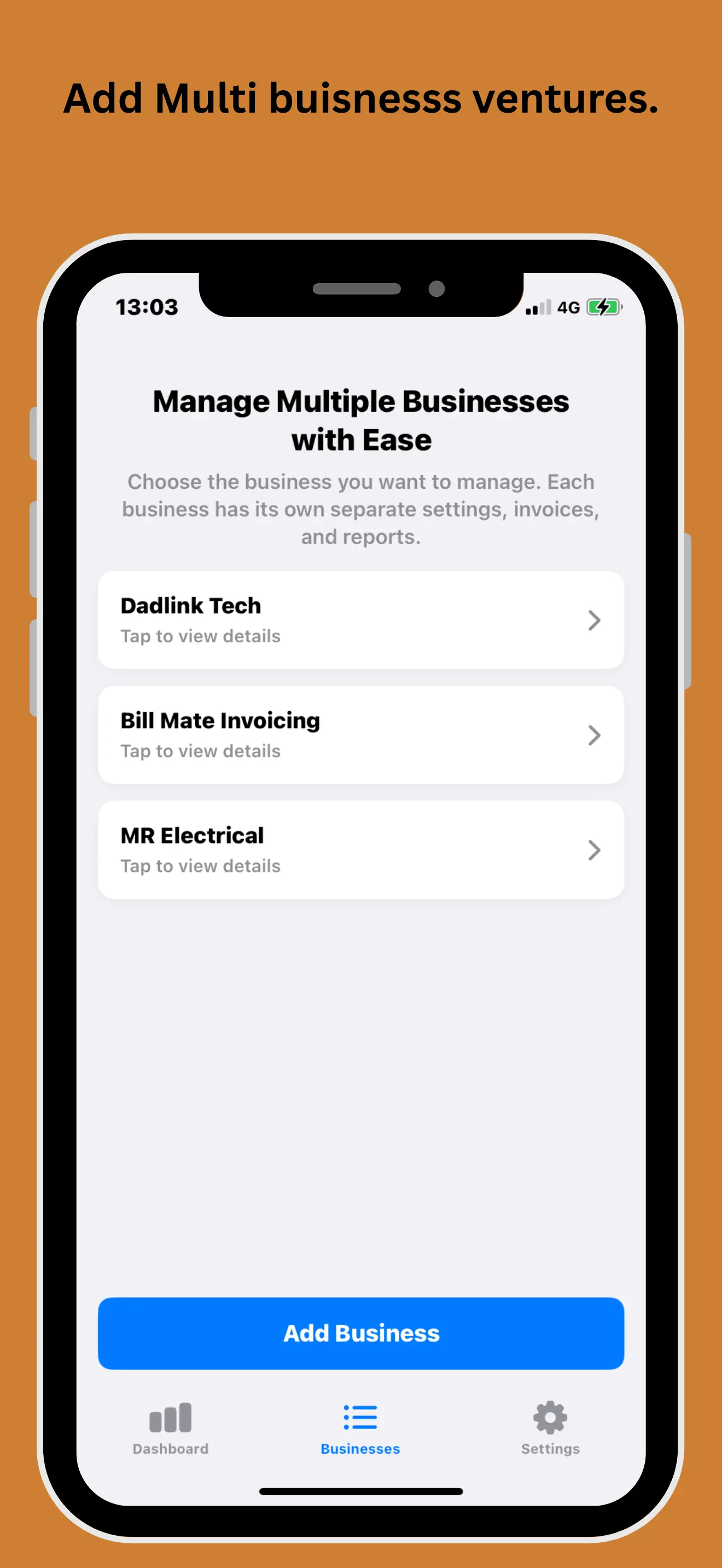
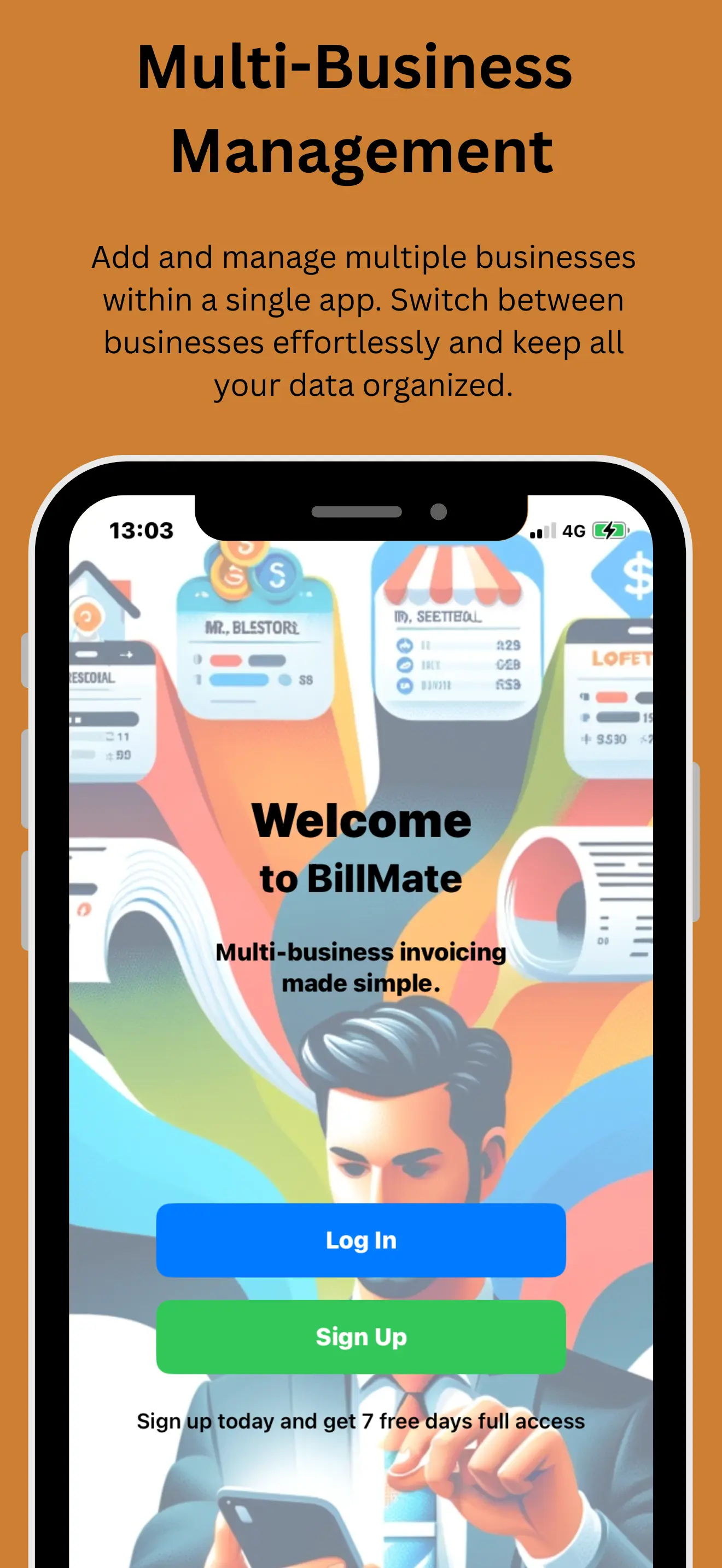
Multi-Business Management

Add and oversee multiple businesses from a single app. Seamlessly switch between entities while keeping operations neatly organized.

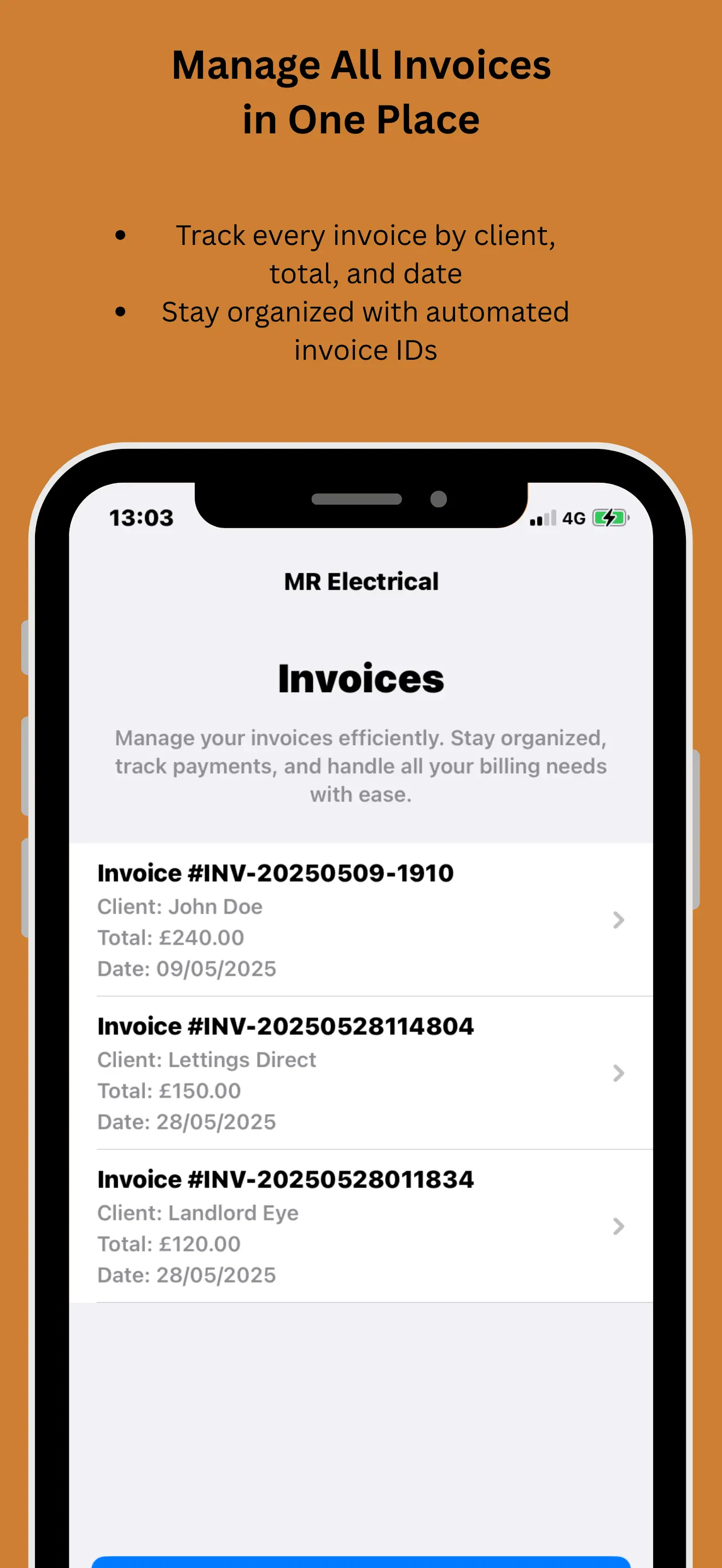
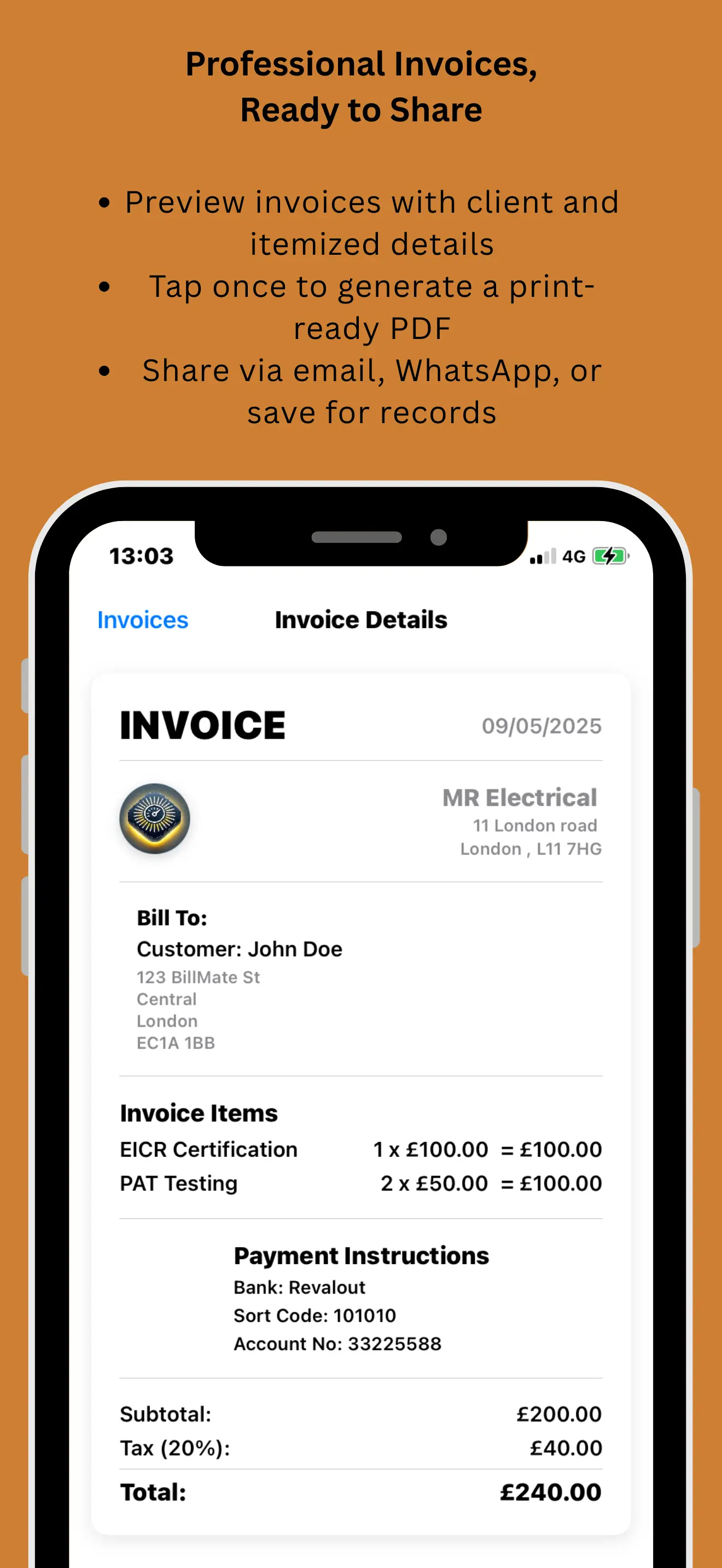
Customizable Invoices

Create, send, and manage invoices with full styling control. Tailor layouts, branding, payment terms, and tax settings.

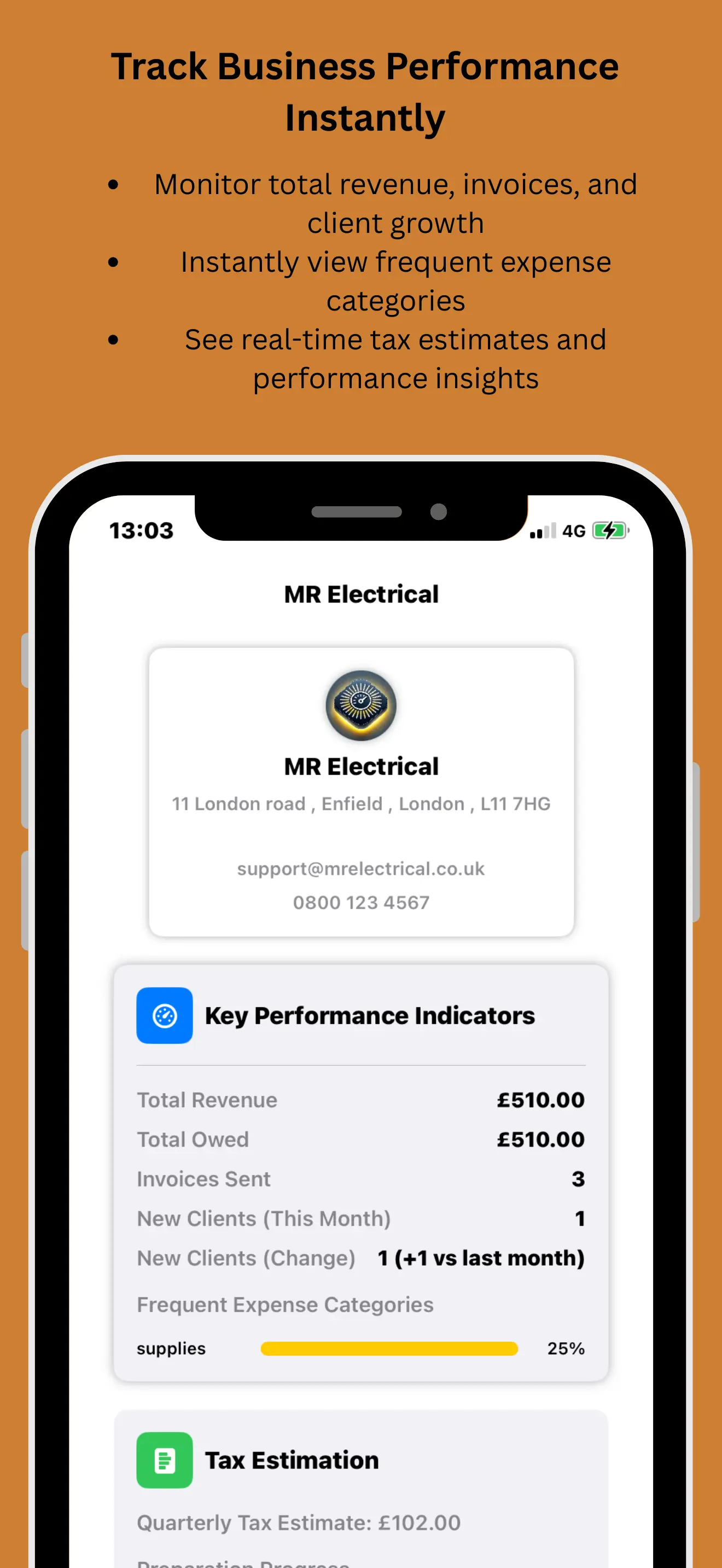
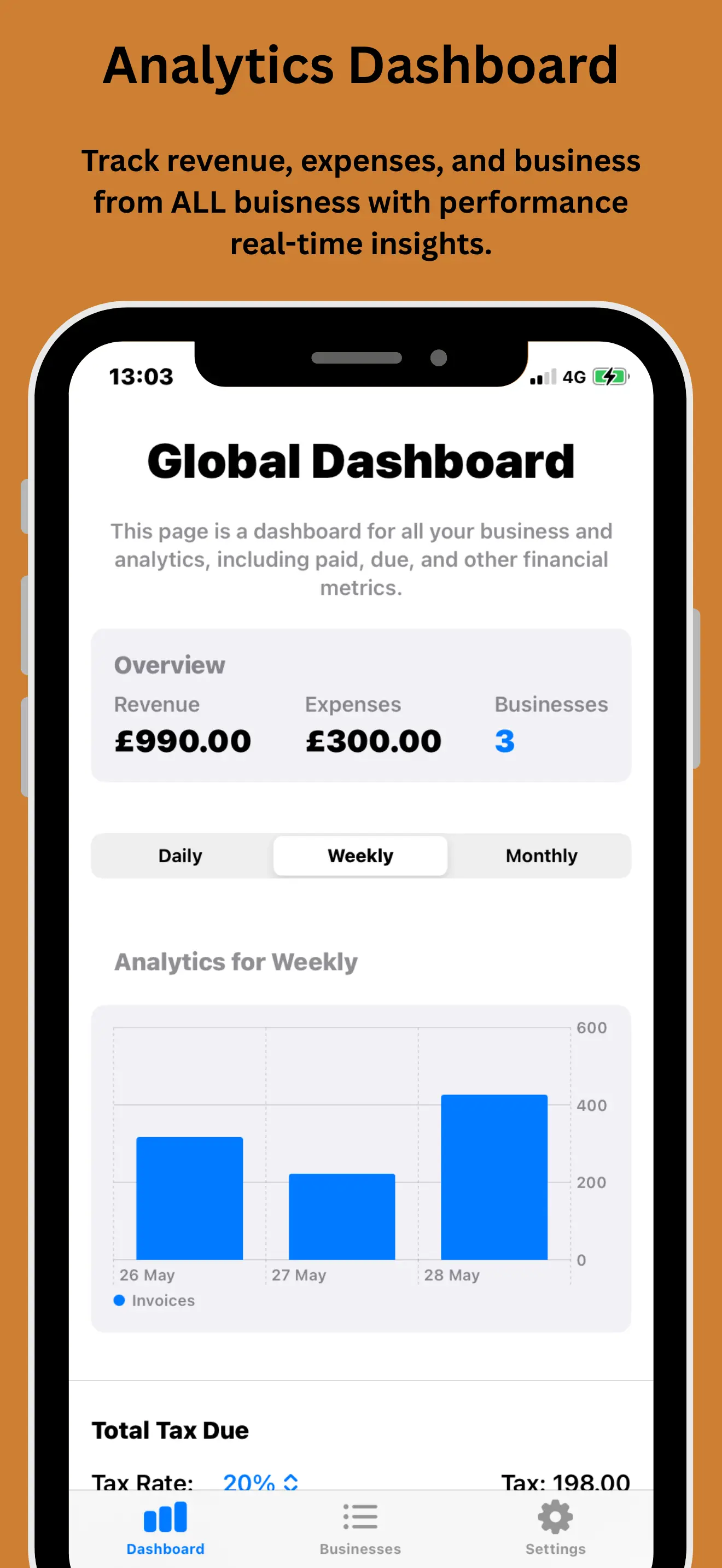
Analytics Dashboard

Track revenue, unpaid invoices, cash flow, and expenses with precision. Gain real-time insights for smarter decisions.

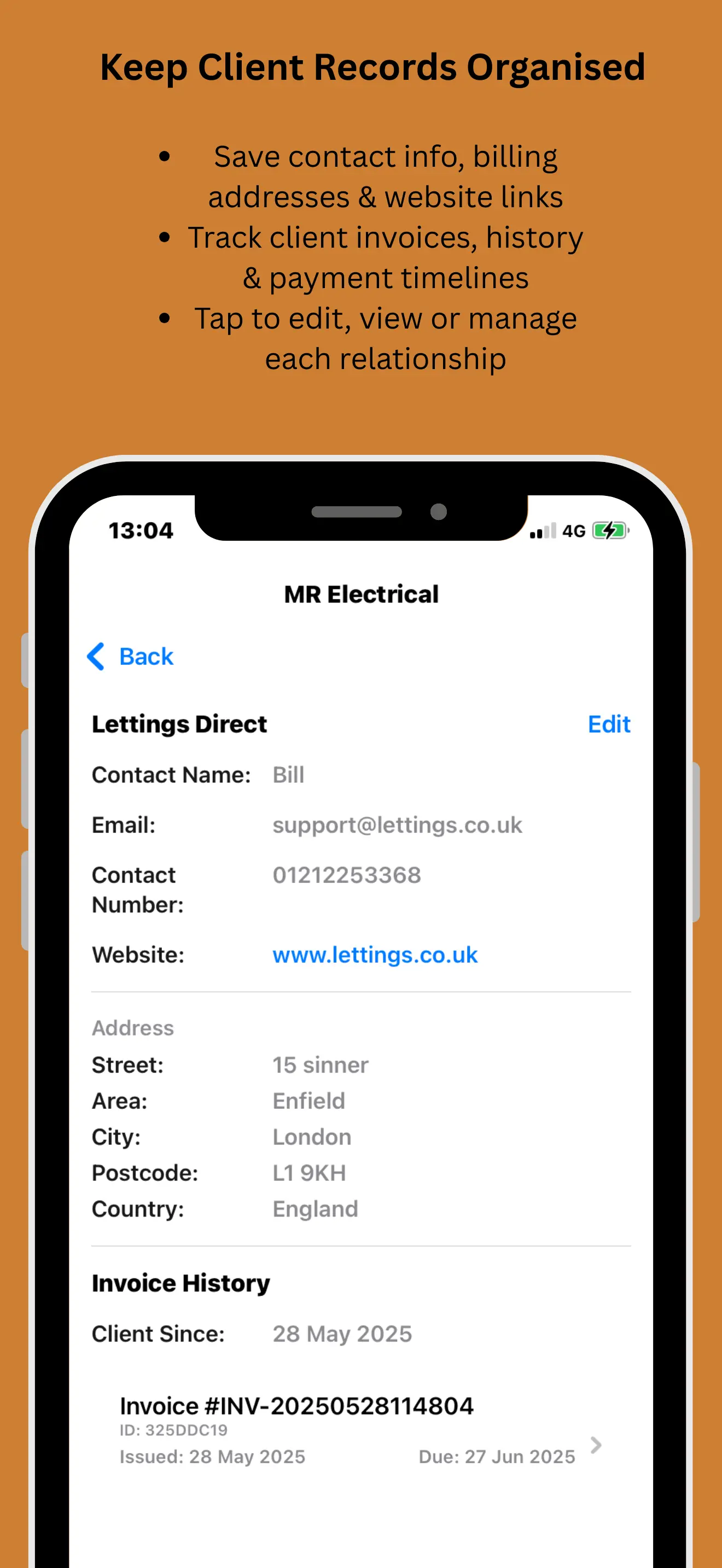
CRM Integration

Build and maintain client profiles with full interaction history. Streamline communication and track repeat business.

Quick Client Add

Add clients on the fly and send invoices in seconds. Track payment status with real-time updates.

Unlimited PDFs

Download unlimited professional PDFs for all your quotes, invoices, and estimates—available to all subscribers.

Why Choose BillMate?

Designed for entrepreneurs , consultants , contractors , and SMBs

All Plans
Include Everything
Multi-Business
Support Included
Legal Tools
For Unpaid Invoices
Priority
Customer Support

What Users Say About Expense Tracking

JM

John Miller

Freelance Designer

★★★★★
"Receipt capture is a game changer! I used to have a shoebox full of receipts, now I just snap a photo and toss them. Tax time is going to be a breeze this year."
KL

Kate Lewis

Small Business Owner

★★★★★
"The smart categorization is surprisingly accurate. It learns where I shop and automatically tags expenses correctly. Saves me so much admin time."
RP

Ryan Parker

Contractor

★★★★★
"Finally an app that separates my personal and business expenses properly. The reports are clean and my accountant loves the export feature."
SJ

Sarah Jenkins

Event Planner

★★★★★
"I manage expenses for multiple events simultaneously. Being able to tag expenses by project and business has kept my budget tracking completely organized."
MB

Mike Brown

Consultant

★★★★★
"The recurring expense feature is great for my software subscriptions. I set it up once and it tracks automatically every month. Zero effort."
EL

Emma Lane

E-commerce Store Owner

★★★★★
"Tracking ad spend across different platforms used to be a headache. BillMate consolidates everything into one clear dashboard. Highly recommend."
DK

David King

Plumber

★★★★★
"Simple and effective. I buy materials every day and just taking a quick pic of the invoice means I don't lose money on unclaimed expenses anymore."
LW

Lucy White

Digital Marketer

★★★★★
"The analytics are fantastic. I realized I was overspending on software tools I wasn't using. The app paid for itself in the first month just by highlighting that."
CF

Chris Fletcher

Electrician, Sheffield

★★★★★
"I photograph every Screwfix receipt the second I get it. BillMate reads the total automatically and files it under materials. My van is no longer full of crumpled receipts."
HC

Hannah Clarke

Yoga Studio Owner, Bath

★★★★★
"Studio rent, insurance, and Spotify subscription all logged as recurring expenses. I don't have to think about them — BillMate just tracks them every month."
PW

Paul Walker

Locksmith, Wolverhampton

★★★★★
"The mileage tracker is brilliant. I drive between jobs all day and BillMate calculates the HMRC rate automatically. I was leaving money on the table before."
NP

Natalie Price

Virtual Assistant, Brighton

★★★★★
"I track software subscriptions, co-working space fees, and home office costs across three businesses. Each one shows its own expense breakdown. So clean."
GR

Gary Robinson

Painter & Decorator, Newcastle

★★★★★
"Paint, brushes, dust sheets — I buy supplies constantly. Snapping each receipt takes five seconds and at the end of the month I can see exactly what each job cost me."
JO

Jessica O'Brien

Social Media Manager, Oxford

★★★★★
"I track ad spend, stock photo subscriptions, and Canva Pro separately for each client's business. The export to CSV makes invoicing back to clients dead easy."
AK

Adam King

Roofer, Sunderland

★★★★★
"Fuel, materials, skip hire — it all adds up. BillMate shows me my total outgoings per job so I know whether I actually made a profit. Eye-opening stuff."
RD

Rebecca Davies

Cake Maker, Swansea

★★★★★
"Flour, butter, packaging — I scan every receipt and BillMate totals my ingredient costs per month. I've finally got a proper handle on my margins."
SM

Stuart Mitchell

Photographer, York

★★★★★
"Equipment hire, travel, and printing costs are tracked against my wedding business. Editing software and stock assets go against my commercial business. Perfectly separated."
FG

Fiona Grant

Bookkeeper, Aberdeen

★★★★★
"I recommend BillMate's expense tracking to every client who turns up with a carrier bag of receipts. The OCR scanner alone saves them hours of data entry."
DO

Daniel Owen

Window Cleaner, Coventry

★★★★★
"Water, squeegees, fuel — small expenses that add up. BillMate shows me my monthly running costs so I can price my rounds properly."
ZA

Zara Ahmed

Web Developer, Leicester

★★★★★
"Hosting, domains, API subscriptions — all set as recurring expenses. The dashboard shows me my total fixed costs at a glance. Really useful for pricing projects."
BT

Ben Taylor

Gas Engineer, Derby

★★★★★
"I log parts costs against each job. At the end of the year my accountant gets a clean CSV with every expense categorised. She said it's the best records she's ever seen from a tradesman."
CM

Claire Morgan

Dog Groomer, Southampton

★★★★★
"Shampoo, clippers, blades — all tracked per business. My grooming salon expenses and my mobile grooming expenses are completely separate. Makes tax returns so easy."
IA

Ian Anderson

Driving Instructor, Plymouth

★★★★★
"Fuel is my biggest expense. BillMate tracks every fill-up and calculates my mileage deductions automatically. I claimed back hundreds more than I expected."
OW

Olivia Ward

Interior Designer, London

★★★★★
"Fabric samples, trade show tickets, supplier lunches — I used to lose half my receipts. Now everything's scanned and categorised the moment I spend it."
JH

James Harper

Builder, Stoke-on-Trent

★★★★★
"Builders' merchant receipts used to disappear into my pockets and get washed. Now I scan them in the car park. BillMate's saved me a fortune in lost claims."
MP

Megan Parry

Tutor, Cambridge

★★★★★
"Textbooks, printing, and travel to students' homes — I track it all. The expense reports show exactly how much my tutoring business costs to run each month."
LB

Liam Bradley

Mobile Mechanic, Doncaster

★★★★★
"Parts, oil, brake fluid — I scan the receipt on the bonnet before I've even packed up. My expense log is always bang up to date because it takes two seconds."
VE

Victoria Evans

Salon Owner, Reading

★★★★★
"Salon product orders, chair rental costs, and marketing spend — all tracked separately for my salon and my bridal hair business. The reports are crystal clear."
NW

Nathan Wright

Tiler, Exeter

★★★★★
"Adhesive, grout, tile cutters — I used to guess my material costs. Now I've got exact figures and I know exactly what each bathroom job costs me to deliver."
SK

Sophie King

Nail Technician, Norwich

★★★★★
"Gel polish, nail art supplies, and shipping costs for my online shop are all tracked in separate businesses. I can finally see which side of the business is more profitable."
AJ

Andrew James

Landscape Gardener, Chester

★★★★★
"Plants, topsoil, fencing panels — I photograph every garden centre receipt. The category breakdown at month end shows me exactly where the money goes."
ER

Emily Roberts

Massage Therapist, Canterbury

★★★★★
"Oils, towels, CPD courses, and room hire — my expenses are small but frequent. BillMate adds them all up so I can see my true take-home after costs."
MW

Marcus White

DJ, London

★★★★★
"Equipment, music licensing, travel to gigs — tracked against my DJ business. Studio gear and software against my engineering business. No crossover at all."
JC

Jenny Cooper

Childminder, Bournemouth

★★★★★
"Food, craft supplies, and outdoor toys — I log everything I buy for the kids. HMRC want to see evidence of childminding expenses and BillMate keeps it all neat."
RT

Robert Turner

CCTV Installer, Luton

★★★★★
"Cameras, cables, mounting brackets — I buy components for every job. The receipt scanner reads the total perfectly and I allocate it to the right business in one tap."
AT

Amy Thomas

Accountant, Milton Keynes

★★★★★
"My clients who use BillMate's expense tracking arrive at year end with perfect records. The CSV exports drop straight into Xero without reformatting. Dream scenario."
WD

William Davies

Scaffolder, Swansea

★★★★★
"Hire costs, transport, and safety gear — it all gets scanned. I used to forget half my expenses at tax time. Now my accountant says I'm one of his best-kept clients."
PH

Priya Hussain

Fashion Designer, London

★★★★★
"Fabric from Italy, trims from France — the multi-currency support handles the conversions automatically. I just scan the receipt and BillMate does the maths."
SO

Sean O'Connor

Skip Hire, Telford

★★★★★
"Landfill fees, fuel, and vehicle maintenance are my biggest costs. BillMate shows me the monthly trend so I can spot when costs are creeping up before it hits my margin."
LH

Lucy Harris

Life Coach, Harrogate

★★★★★
"Zoom subscription, website hosting, course platform fees — all set as recurring. My coaching business expenses are tracked without me lifting a finger."
KM

Kevin Murphy

Pest Controller, Northampton

★★★★★
"Chemicals, traps, protective gear — I track it all per job. The category breakdown tells me exactly how much my consumables are costing versus fixed overheads."
JW

Jade Williams

Makeup Artist, Liverpool

★★★★★
"MAC, Charlotte Tilbury, Kryolan — my kit costs a fortune. BillMate shows me my product spend by month so I can budget properly for restocking."
OB

Oscar Brown

Music Teacher, Cheltenham

★★★★★
"Sheet music, strings, and room hire for workshops — all small costs that I used to ignore. BillMate made me realise I was under-claiming by hundreds each year."
DM

Diane Marshall

Caterer, Warwick

★★★★★
"Ingredients, hire equipment, and staffing costs per event — all tracked separately. I can quote more accurately now because I know my actual cost per head."
TG

Thomas Green

Fencing Contractor, Hereford

★★★★★
"Timber, concrete, and postcrete — I scan the builders' merchant receipt on site. By the time I get home, the expense is already in BillMate and allocated to the right job."
RK

Rachel Knight

Freelance Writer, Bristol

★★★★★
"My expenses are mostly digital — software, subscriptions, research tools. Setting them as recurring means my expense report builds itself. Brilliant for freelancers."
JB

Jake Barrett

Tree Surgeon, Shrewsbury

★★★★★
"Chainsaw chains, fuel mix, and PPE — I buy supplies in cash half the time. Scanning the receipt on the spot means I've always got proof even when paying cash."
HN

Holly Newton

Cleaner, Wigan

★★★★★
"Cleaning products, bin bags, rubber gloves — small purchases I used to forget about. Now every penny is tracked and I can see my true cost per clean."
PE

Patrick Edwards

Welder, Middlesbrough

★★★★★
"Gas bottles, welding rods, and grinding discs add up fast. BillMate's monthly expense chart showed me I was spending 30% more than I thought. Knowledge is power."
GS

Grace Sullivan

Physiotherapist, Winchester

★★★★★
"CPD courses, clinic rent, and professional indemnity insurance — all tracked. The annual expense report is exactly what my accountant needs for the tax return."
MC

Mark Campbell

Removals, Peterborough

★★★★★
"Diesel, packing materials, and toll charges — every move has different costs. BillMate tracks them per job so I know my actual profit on each removal."
AW

Alice Woodward

Jewellery Maker, Whitby

★★★★★
"Silver wire, gemstones, packaging — my material costs vary wildly month to month. BillMate's spending trends helped me spot seasonal patterns and buy smarter."
RJ

Ricky Johnson

Handyman, Ipswich

★★★★★
"I buy bits from everywhere — B&Q, Screwfix, Amazon, local hardware shops. BillMate captures every receipt regardless of the shop. My records are finally complete."
TP

Tanya Palmer

Dog Walker, Richmond, London

★★★★★
"Leads, treats, poo bags, and van fuel — all those little costs that eat into my profit. Seeing the monthly total was a wake-up call. Now I budget properly."
NH

Neil Harrison

Plasterer, Barnsley

★★★★★
"Multi-finish, bonding, PVA — I buy plaster every week. The receipt scanner picks up the total every time and files it under materials automatically. No typing needed."
IS

Isla Scott

Dietitian, Edinburgh

★★★★★
"My NHS consultancy expenses and private practice expenses are tracked completely separately. At self-assessment time, I just export each one. Two minutes flat."
CB

Craig Barker

Courier, Rotherham

★★★★★
"Fuel is 90% of my expenses. The mileage tracker with HMRC rates calculates my allowable deduction automatically. I'm claiming properly for the first time ever."
LF

Lauren Foster

Speech Therapist, Belfast

★★★★★
"Assessment materials, therapy toys, and travel between schools — every expense is logged. The PDF report I send to my accountant looks completely professional."
DH

Darren Hill

Glazier, Blackpool

★★★★★
"Glass, sealant, and beading for every job — I scan the merchant receipt in the van. The VAT amount is picked up automatically which is a huge time saver."
EA

Ellie Adams

Pilates Instructor, Guildford

★★★★★
"Hall hire, equipment, insurance, and music licensing — I had no idea how much my classes actually cost to run until BillMate laid it all out on the dashboard."
BW

Brian Walsh

Chimney Sweep, Lincoln

★★★★★
"Rods, brushes, dust sheets, and van costs — small expenses that I used to ignore. BillMate showed me they add up to over £200 a month. Now I price accordingly."
TM

Tara McCarthy

Property Manager, Nottingham

★★★★★
"Maintenance costs per property are tracked separately. When a landlord asks what they've spent this year, I can pull up a detailed expense report in seconds."
JE

Jack Ellis

Tattoo Artist, Brighton

★★★★★
"Ink, needles, gloves, and aftercare supplies — I scan every order confirmation. My monthly consumables cost is always visible and I restock before I run out."
SP

Samantha Pearce

Freelance PA, St Albans

★★★★★
"Home office costs — broadband, stationery, desk equipment — all tracked with receipt photos. My accountant was impressed at how thorough my records are now."
AF

Alex Fisher

Video Editor, London

★★★★★
"Adobe suite, hard drives, stock footage subscriptions — all set as recurring expenses. My YouTube business and corporate work each show their own running costs."
WS

Wendy Stevens

Mobile Hairdresser, Grimsby

★★★★★
"Colour, foils, and mileage between clients — I track everything. The HMRC mileage rate calculator is built right in, so my travel claims are always accurate."
PD

Phil Dixon

Electrician, Stockport

★★★★★
"Cable, sockets, consumer units — I buy stock daily. The OCR picks up Edmundson and CEF receipts perfectly. My expense records are now 100% complete for the first time."
RA

Ruby Allen

Ecommerce Seller, Colchester

★★★★★
"Packaging, postage, and product costs across four online shops — each tracked in its own business profile. The expense dashboard finally shows me my real profit margins."
Expense Tracking FAQs

Can I scan physical receipts? +

Yes! Just open the BillMate app, tap "Add Expense," and use your phone camera to snap a photo of the receipt. Our built-in OCR (optical character recognition) technology reads the receipt and automatically extracts the date, total amount, merchant name, and VAT where applicable — so you don't have to type anything manually.

The original photo is stored securely against the expense record, meaning you'll always have a digital backup. This is especially useful for thermal receipts that fade over time — once it's in BillMate, it's preserved forever. You can also crop or retake the photo if the first scan isn't clear enough.

If you're running multiple businesses, the scanned receipt is automatically allocated to whichever business profile you're currently working in, keeping your records clean and separated from day one.

Does it support multiple currencies? +

Absolutely. BillMate supports expenses in any global currency. When you log an expense in a foreign currency — for example, if you've bought materials from a European supplier in euros or paid for a hotel in US dollars — BillMate automatically converts the amount to your base currency (GBP by default) using up-to-date exchange rates.

The original currency amount is always preserved alongside the converted figure, so you have a complete audit trail. This is particularly useful at tax time, as HMRC may require sight of the original transaction currency. You can also manually override the exchange rate if you have a specific bank rate from your statement.

Multi-currency support works across all your business profiles, so if you run one business that trades domestically and another that deals internationally, each one tracks expenses in the currencies that matter to it.

Can I export expenses for my accountant? +

Yes — and this is one of the features accountants love most about BillMate. You can export your full expense report or filter by date range, category, or business profile, then download it as a CSV, PDF, or Excel file.

The exports are formatted to be tax-ready, with columns for date, description, category, net amount, VAT, gross total, and payment method. They're compatible with all major accounting software including Xero, QuickBooks, Sage, and FreeAgent, so your accountant can import the data directly without reformatting.

You can also share exports directly from the app via email, WhatsApp, or any file-sharing service. If you prefer, your accountant can access the web dashboard to pull reports themselves — just set them up with read-only access to the relevant business profile.

How are recurring expenses handled? +

Any expense can be marked as recurring. Simply set the frequency — weekly, monthly, quarterly, or annually — and BillMate will automatically generate the expense entry for you on the scheduled date. This is perfect for regular outgoings like office rent, software subscriptions, insurance premiums, phone contracts, or vehicle lease payments.

You'll receive a notification each time a recurring expense is logged, giving you the chance to review or adjust the amount if it's changed. You can pause, edit, or cancel a recurring expense at any time without affecting the historical records.

Recurring expenses are factored into your expense dashboard and reports, giving you a clear picture of your fixed costs versus variable spending. If you run multiple businesses, each one can have its own set of recurring expenses tracked independently.

Can I separate personal and business expenses? +

Yes, and this is one of BillMate's strongest features. Every expense can be categorised as "Business" or "Personal," and if you run multiple companies, you can allocate each expense to a specific business profile. This means your finances are strictly separated with no crossover — exactly how HMRC expects them to be.

When you're viewing reports or exporting data, you can filter by business profile to see only the expenses that relate to that company. Your accountant gets clean, separated records without having to untangle mixed transactions.

This separation extends to the dashboard too. Each business profile shows its own expense totals, category breakdowns, and spending trends, while the global dashboard gives you an overview across all your ventures. It's designed for the way multi-business owners actually work — everything separated when it needs to be, but visible together when you want the bigger picture.

Is my expense data secure? +

Your expense data is protected with bank-level 256-bit SSL encryption, both in transit (when syncing between your phone and the cloud) and at rest (when stored on our servers). This is the same standard used by major UK banks and financial institutions.

All receipt images and financial records are backed up automatically to secure cloud servers, so you'll never lose data even if you lose your phone. Your data is fully GDPR compliant, and we never share, sell, or provide access to your financial information to any third party.

Each business profile within BillMate is data-isolated, meaning expenses from one business cannot be accessed or viewed from another profile — even within the same account. If you grant your accountant or team member access, you control exactly which business profiles they can see.

Can I track mileage? +

Yes, BillMate includes a built-in mileage tracker designed for UK businesses. You can log trips manually by entering the start and end locations or total miles, or use GPS tracking to record the route automatically as you drive.

BillMate calculates the tax-deductible amount using HMRC's approved mileage rates (currently 45p per mile for the first 10,000 miles and 25p per mile thereafter for cars). The mileage expense is then added to your expense records just like any other cost, complete with date, distance, and calculated value.

This is particularly useful for tradespeople, mobile service providers, and anyone who travels between job sites. If you run multiple businesses, mileage can be allocated to the relevant business profile so you're claiming accurately against the right company. At tax time, you'll have a complete, HMRC-ready mileage log without having to maintain a separate spreadsheet.

Do you offer custom expense categories? +

Yes. BillMate comes pre-loaded with standard UK tax categories that align with HMRC self-assessment and corporation tax return headings — including travel, office costs, stock and materials, advertising, professional fees, utilities, and more.

On top of these, you can create unlimited custom categories to match the way your specific business works. For example, a photographer might add "Equipment Hire" and "Studio Rental," while a builder might create "Scaffolding" and "Skip Hire." Custom categories appear alongside the defaults in your expense entry form and in all reports and exports.

Each business profile can have its own set of custom categories, so the categories you see when logging an expense for your consultancy won't clutter up the list when you're logging one for your rental properties. It keeps things clean and relevant to each business.

Empower Your Business with BillMate

Experience streamlined business management for your expenses at your fingertips