★★★★★
"The client management in BillMate is seamless. I can add a new lead on my iPhone while walking out of a meeting, and my assistant sees it instantly on the web."
★★★★★
"Managing clients across my three different agency brands was a nightmare until BillMate. Now everything is segmented perfectly."
★★★★★
"I love the 'Recent Activity' tracking. It reminds me who I haven't spoken to in a while. Great for keeping relationships warm."
★★★★★
"The ability to attach notes and files to client profiles is a lifesaver. I never lose track of project requirements now."
★★★★★
"Simple, fast, and effective. Adding customers takes two seconds. The map integration for addresses is really handy for my site visits."
★★★★★
"Finally, a CRM that doesn't feel like a spreadsheet. It's actually enjoyable to use and my client data has never been cleaner."
★★★★★
"The sync between the app and the web dashboard is instantaneous. It's improved our team's response time to client queries significantly."
★★★★★
"We moved from a complex enterprise CRM to BillMate. It does exactly what we need—manages clients and invoices—without the bloat."
★★★★★
"I manage clients for three different businesses and BillMate keeps every contact, note, and invoice history completely separate. It's incredibly organised."
★★★★★
"Having all my customer details in one place means I never turn up to a job without knowing the full history. The client notes feature is spot on."
★★★★★
"I track my regular class members and my private clients separately. The client profiles show me everyone's payment history at a glance."
★★★★★
"The search is lightning fast. I can pull up any customer's details and invoice history in seconds, even when I've got hundreds of contacts."
★★★★★
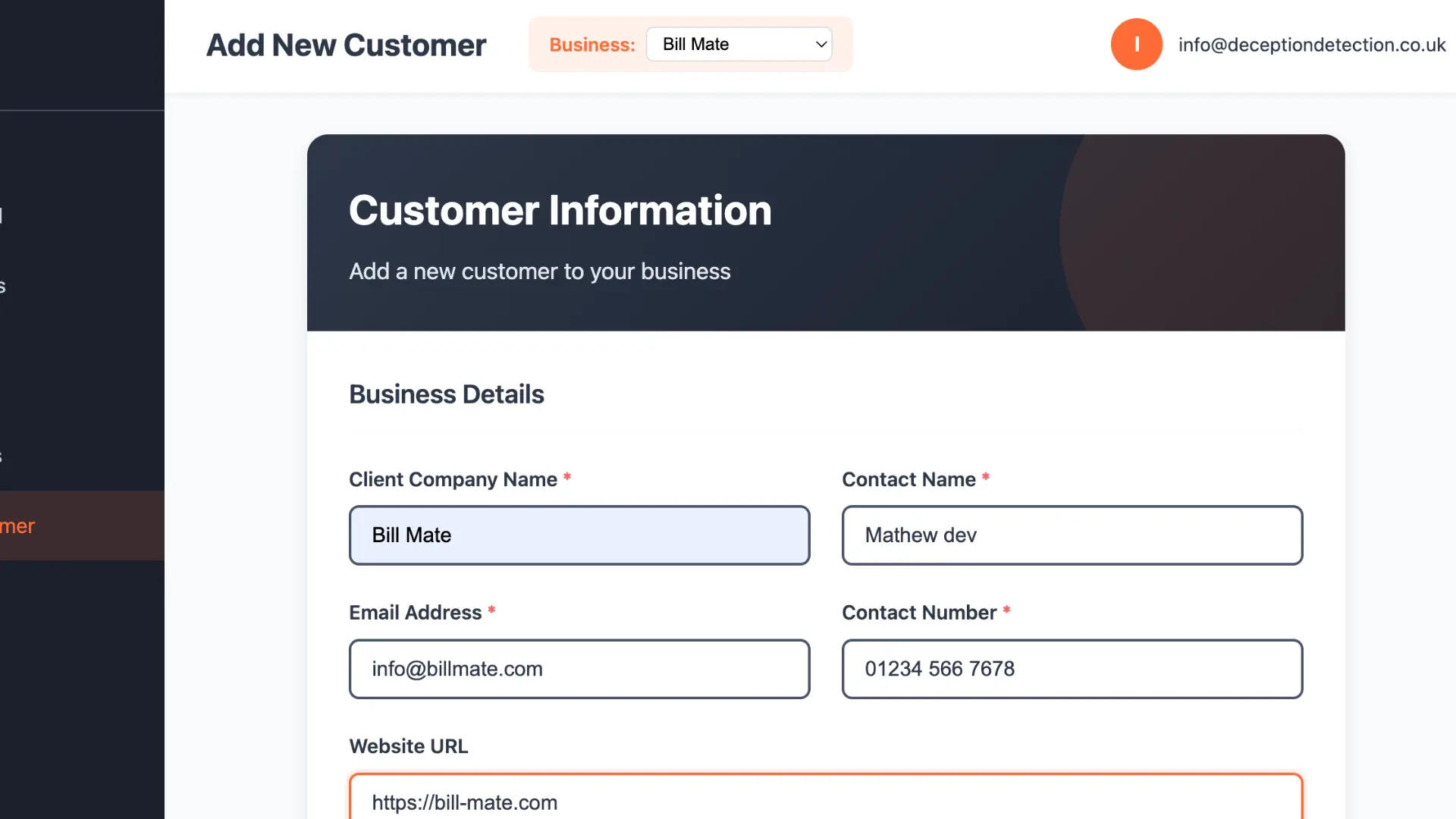
"I onboard new clients straight into BillMate now. Their details, project scope, and payment terms are all in one profile. So much cleaner than spreadsheets."
★★★★★
"When a past customer rings back for more work, I can see exactly what we did for them last time. Makes me look really on the ball."
★★★★★
"I keep notes on every client's preferences — flavours, allergies, design ideas. When they come back for their next order, I already know what they like."
★★★★★
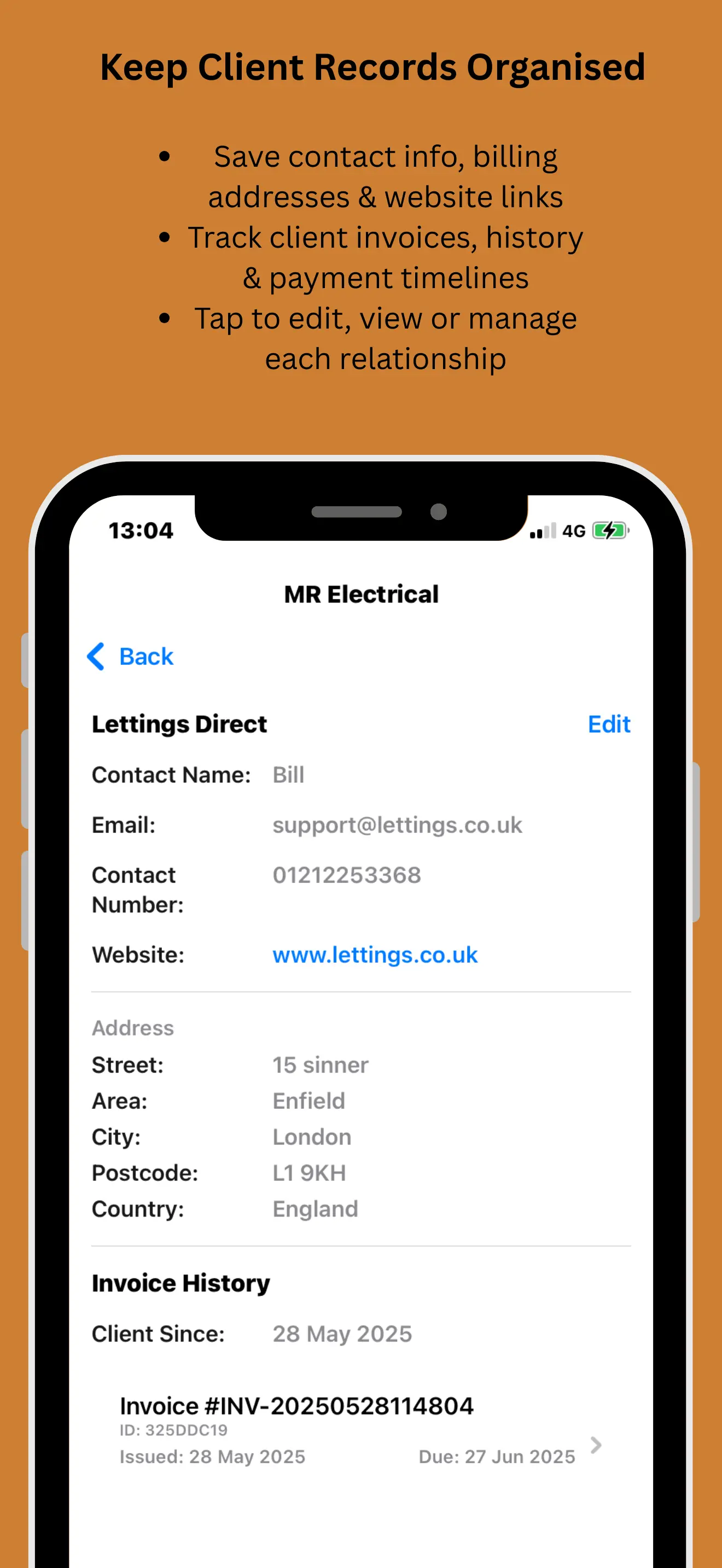
"The client profile page shows invoices, quotes, and notes all in one view. No clicking through five different screens like my old CRM."
★★★★★
"I recommend BillMate to every client who asks about CRM. It's simple enough for a sole trader yet powerful enough for someone managing dozens of customers."
★★★★★
"I've got 200+ regular customers across my residential and commercial rounds. BillMate keeps them all neatly separated with full contact details and payment status."
★★★★★
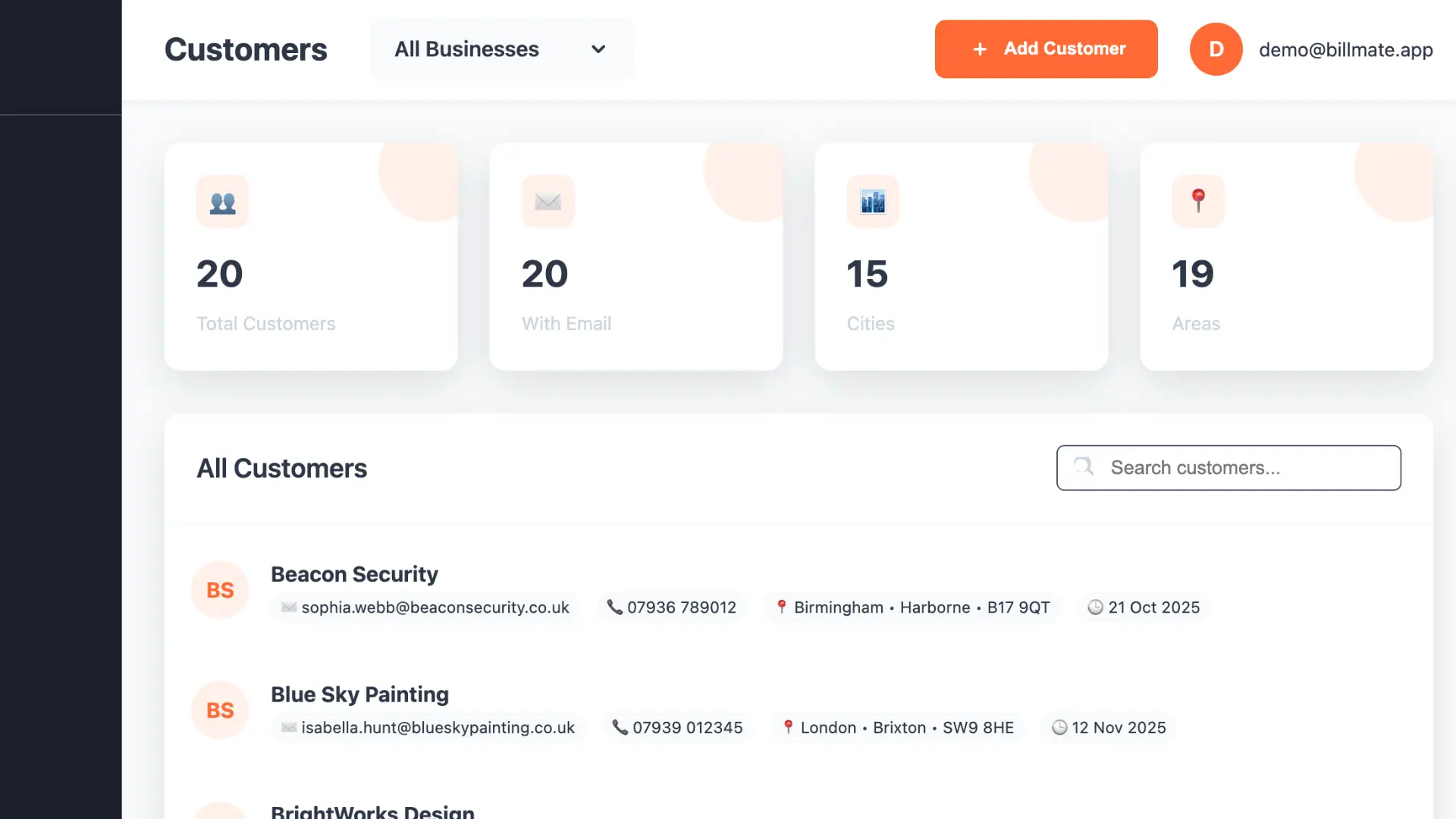
"The client database is clean and fast. I can filter by business, search by name, and see who's got outstanding invoices in seconds. Really well thought out."
★★★★★
"I note down boiler models, service dates, and warranty info on each customer profile. When they call back, I've got everything to hand."
★★★★★
"I track each dog's breed, temperament, and grooming preferences against their owner's profile. My regulars love that I remember the little details."
★★★★★
"I track each pupil's progress in the client notes. When a student's parent asks how they're doing, I can give them a proper update straight from the app."
★★★★★
"My client profiles are like mini project files. I can see the brief, every invoice, and all my design notes without leaving the app."
★★★★★
"When a customer calls, I pull up their profile and I know exactly where we left off. No more awkward 'remind me what we quoted you' conversations."
★★★★★
"I store parent contact details, student goals, and session notes all in one place. It's basically a teaching CRM. Brilliant for staying organised."
★★★★★
"I log vehicle reg, make, model, and service history against each customer. When they phone again, I already know their car inside out."
★★★★★
"I note colour formulas, cut preferences, and appointment history for every client. They think I've got a photographic memory — it's just BillMate."
★★★★★
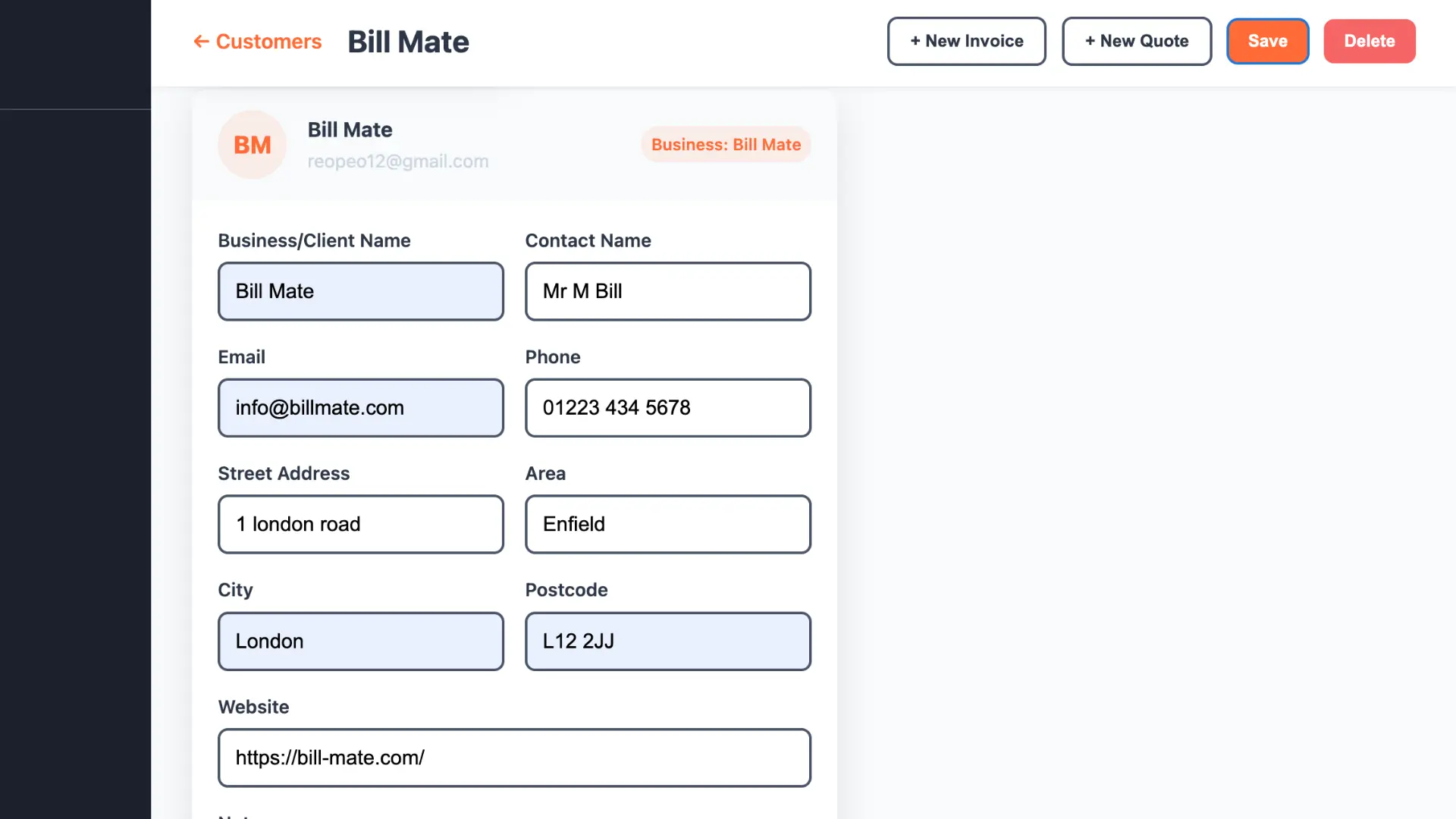
"The address field with map integration is class. I can see exactly where the job is and pull up directions straight from the client profile."
★★★★★
"I track each client's nail preferences and allergies. The notes sync across my phone and tablet so I've always got their info when I need it."
★★★★★
"I photograph before-and-after shots and attach them to the client profile. Great for showing new customers what we can do and for my own records."
★★★★★
"I record treatment notes, pressure preferences, and any medical conditions for each client. It makes every session feel personal and considered."
★★★★★
"My client list for DJ bookings and studio work are kept totally separate. I can see at a glance who's booked, who's paid, and who needs chasing."
★★★★★
"I store emergency contacts, dietary needs, and pick-up permissions in each child's parent profile. It's become my go-to reference for everything."
★★★★★
"I log camera models, IP addresses, and site plans against each client. When they need maintenance, I've already got all the technical details ready."
★★★★★
"I've tried expensive CRM tools and BillMate does 90% of what they do for a fraction of the cost. The client management is genuinely excellent."
★★★★★
"I'm not a CRM person — I just need to know who my customers are and what I've done for them. BillMate makes that dead simple."
★★★★★
"I store client measurements, fabric preferences, and mood boards in each profile. When they reorder, I can reference everything from last time."
★★★★★
"Repeat customers are my bread and butter. BillMate shows me their full order history so I can offer the right size skip straight away."
★★★★★
"I keep session notes, goals, and progress milestones in each client's profile. It means every coaching session picks up exactly where we left off."
★★★★★
"I log what treatment was used at which property and when the follow-up is due. BillMate keeps all my client records tidy and accessible on the road."
★★★★★
"I store foundation shades, skin type notes, and look references for every bride. On the wedding morning, I've got their perfect look ready to go."
★★★★★
"Each student has a profile with their skill level, lesson plan, and payment history. The parent's contact details are right there too. Everything in one place."
★★★★★
"I track dietary requirements, venue details, and menu choices per event in each client profile. Come event day, I'm fully prepped without hunting through emails."
★★★★★
"I photograph the site, note the measurements, and save it all to the client profile before I even leave. When I write the quote later, everything's there."
★★★★★
"I track each editor's preferred word count, style guide, and payment terms. When I pitch or submit, I never have to dig through old emails for the details."
★★★★★
"I note tree species, site access issues, and TPO details on each property. When I go back for seasonal work, I'm fully prepared without a site visit."
★★★★★
"Each client has their alarm codes, key safe numbers, and cleaning preferences saved. My staff can check the details before they arrive. Really professional."
★★★★★
"I keep things simple — customer name, number, job history. BillMate doesn't force me to fill in fields I don't need. That's why I stick with it."
★★★★★
"Patient treatment notes, referral sources, and session frequency — all tracked per client. It's become an essential part of running my practice."
★★★★★
"I record inventory lists, access restrictions, and floor plans for every move. When the team arrives on the day, they know exactly what to expect."
★★★★★
"I track wholesale buyers and direct customers separately. Knowing each buyer's reorder patterns helps me plan my production runs better."
★★★★★
"Repeat customers are my business. Being able to see every job I've done for someone — what I charged, what materials I used — is invaluable."
★★★★★
"Each dog has notes under their owner's profile — lead type, recall reliability, who they get on with. My walkers check the app before every pick-up."
★★★★★
"I used to save customer numbers in my phone contacts like a caveman. BillMate gives me proper records — address, job history, payment status, the lot."
★★★★★
"Client records for my NHS work and private practice are completely separate. The data isolation gives me confidence that nothing gets mixed up."
★★★★★
"I track regular collection points, delivery preferences, and billing contacts for each business client. It makes my daily round much smoother."
★★★★★
"Session goals, progress notes, and parent feedback all stored neatly in each child's profile. It's made my annual reviews so much quicker to prepare."
★★★★★
"I note glass types, frame specs, and measurements for each property. When a customer calls about a warranty issue, I can pull it all up instantly."
★★★★★
"I track injuries, modifications, and attendance for each member. The client notes mean I can personalise every class without relying on memory."
★★★★★
"I record chimney type, last sweep date, and any issues found for every property. Annual reminders are easy because the data's all there."
★★★★★
"Each landlord and each tenant has their own profile. I can see the full relationship chain — who owns what, who rents where, and every invoice in between."
★★★★★
"I save reference images, placement notes, and ink colours in each client profile. When they come back for more work, I've already got the context."
★★★★★
"I manage contacts for four directors across different industries. BillMate keeps each client list separate but lets me search across all of them at once."
★★★★★
"I track each client's brand guidelines, preferred formats, and delivery specs in their profile. It means zero back-and-forth at the start of every project."
★★★★★
"Each client's colour formula, cut style, and product preferences are in their profile. I check it in the car before I knock on the door. Always prepared."
★★★★★
"I log fuse board specs, circuit layouts, and test results against each property. The client record is basically my site file. Proper useful."
★★★★★
"I track wholesale buyers across four online shops. BillMate shows me each buyer's order history and total spend, which helps me prioritise my VIP clients."
★★★★★
"I note paint colours, wallpaper codes, and finish types for every room I do. When the customer wants a touch-up two years later, I've got the exact details."