Smart Client Management for Every Business

Add customers, manage profiles, and track interactions across all your ventures—sync seamlessly between the iOS app and the web CRM.

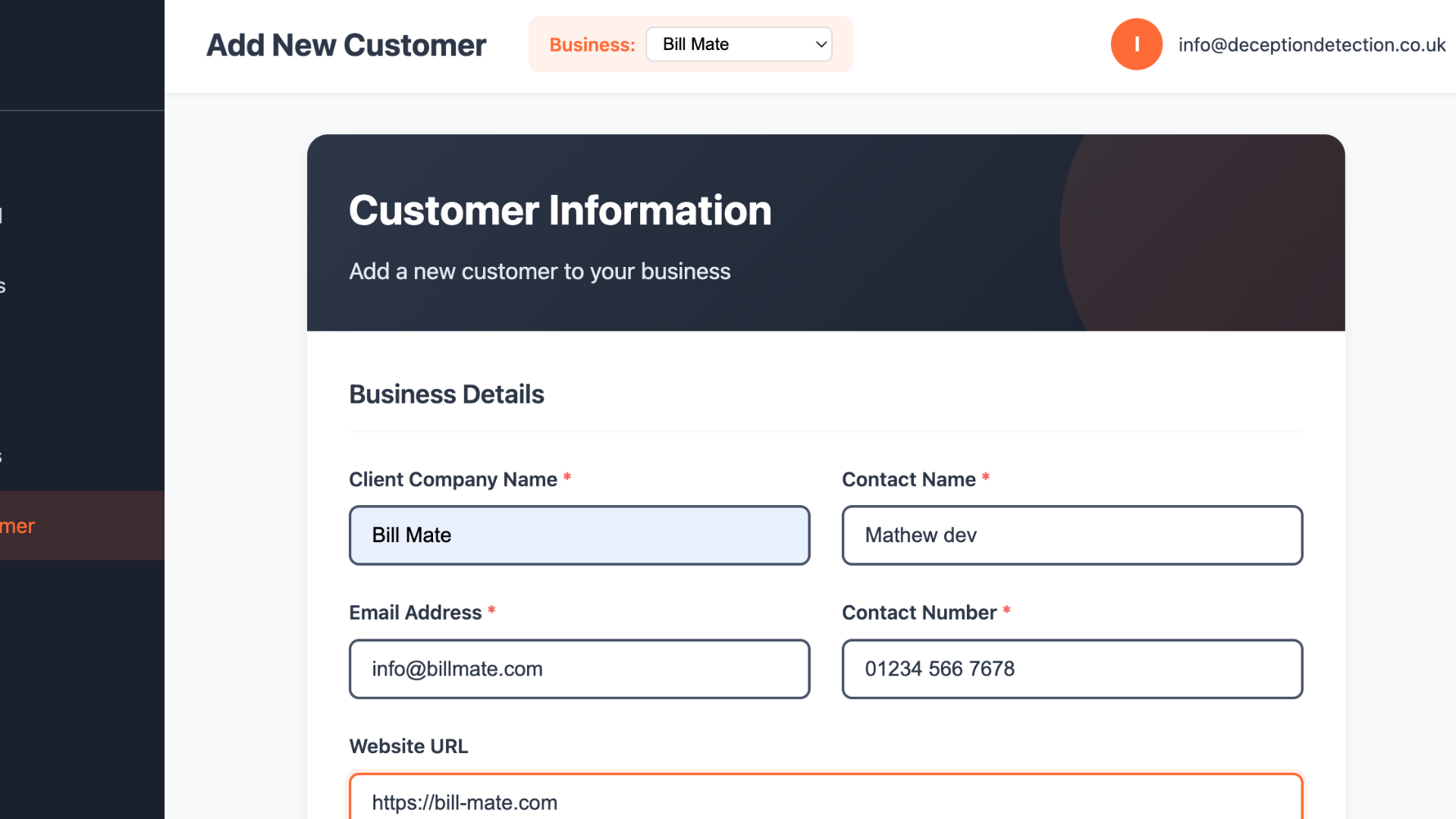
Quick Add Client

Create customer records in seconds with intuitive fields

📇

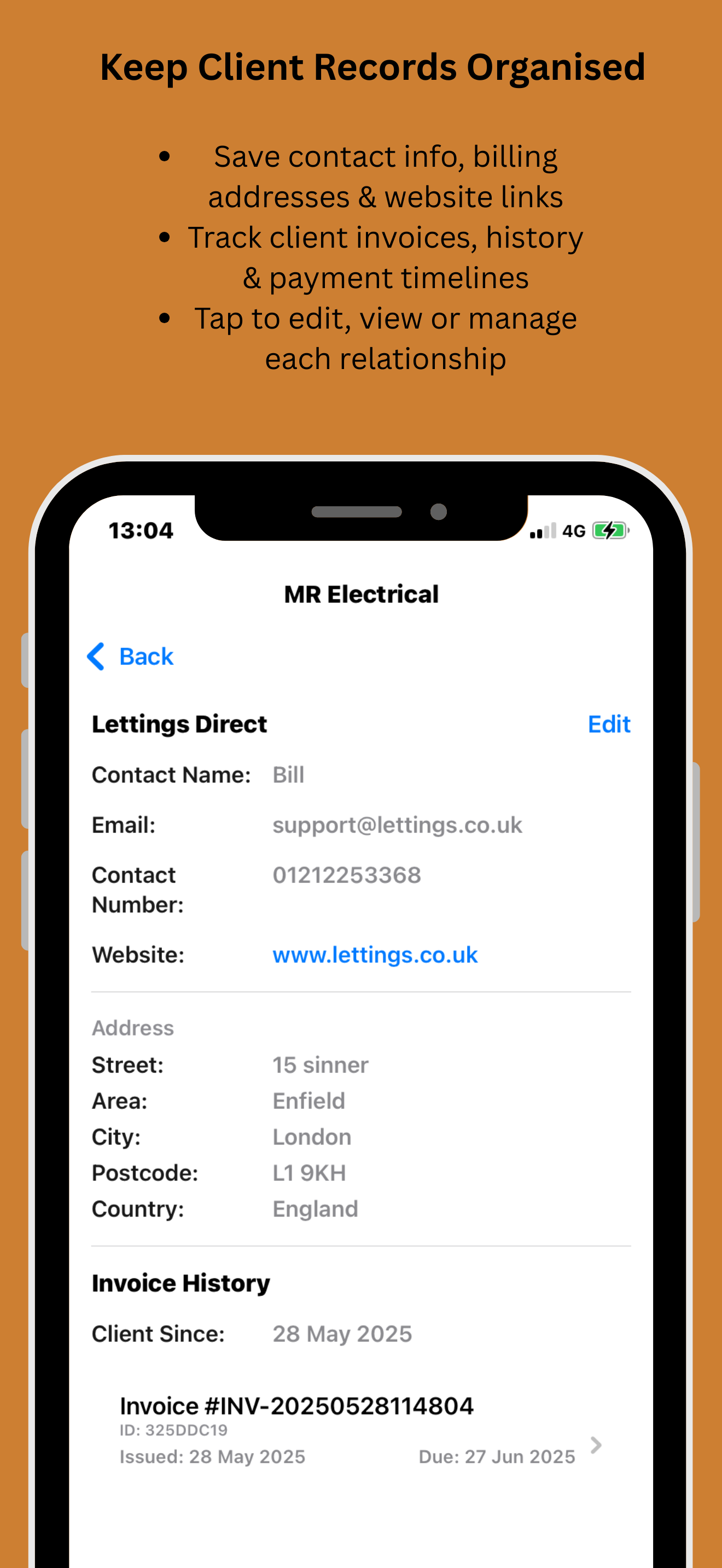
Rich Profiles

Store contact info, notes, and business allocations

📞

Interaction History

Track calls, emails, invoices, and quotes

🌐

Multi-Business CRM

Manage clients across all your businesses

Client Management Made Simple

From adding customers to tracking relationships—streamline your CRM workflow

1

Quick Client Entry

Add customers with essential details, allocate to a business, and capture notes—perfect for sales and service teams.

One-tap client creation
Allocate to a business
Custom fields & tags
Instant contact validation
Add Client
2

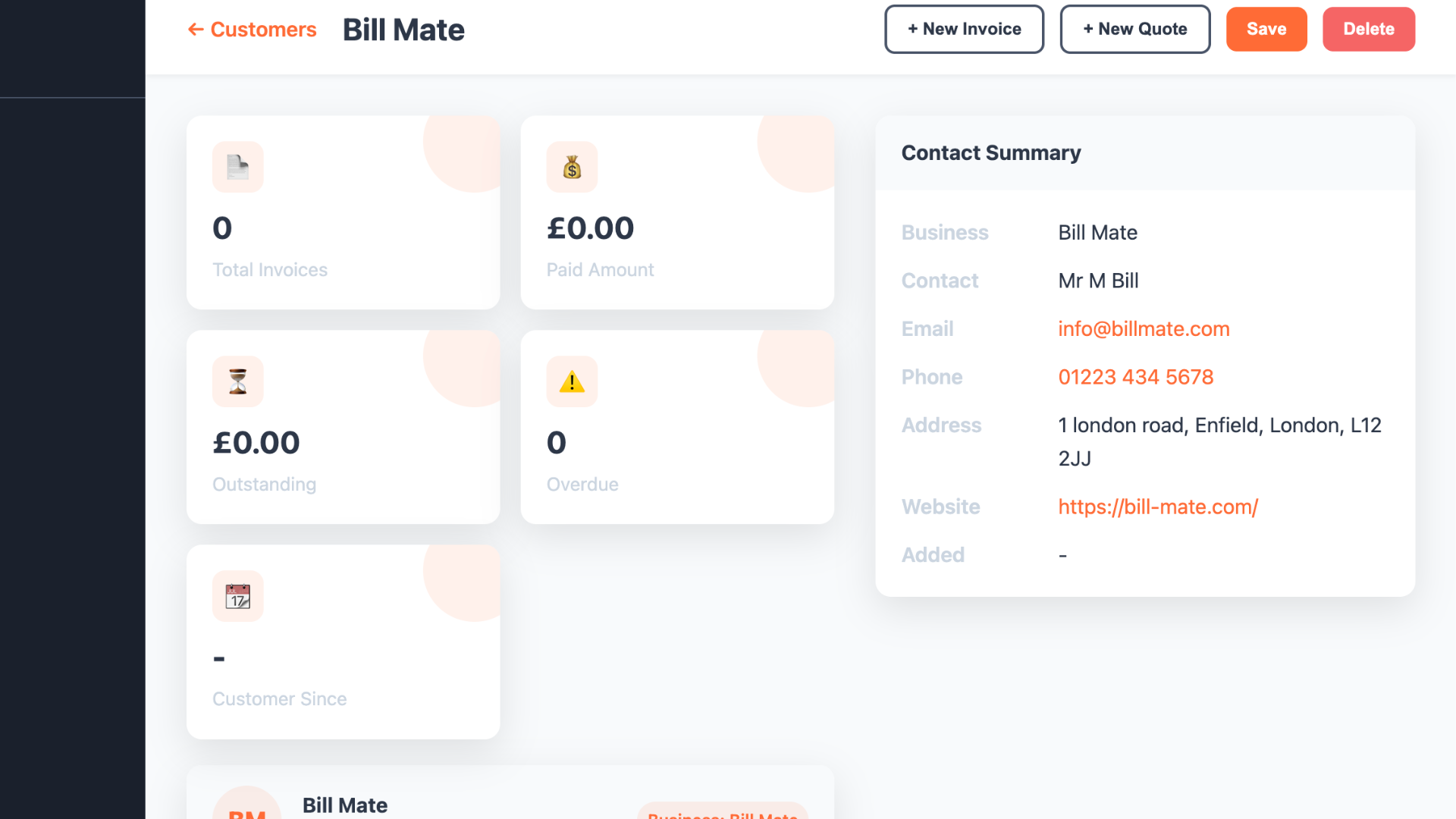
Comprehensive Client Records

Monitor all your clients from a centralized dashboard. Filter by business, last activity, or status to take action fast.

Segment & filter customers
Activity timeline
Link invoices & quotes
Export contacts to CSV/PDF
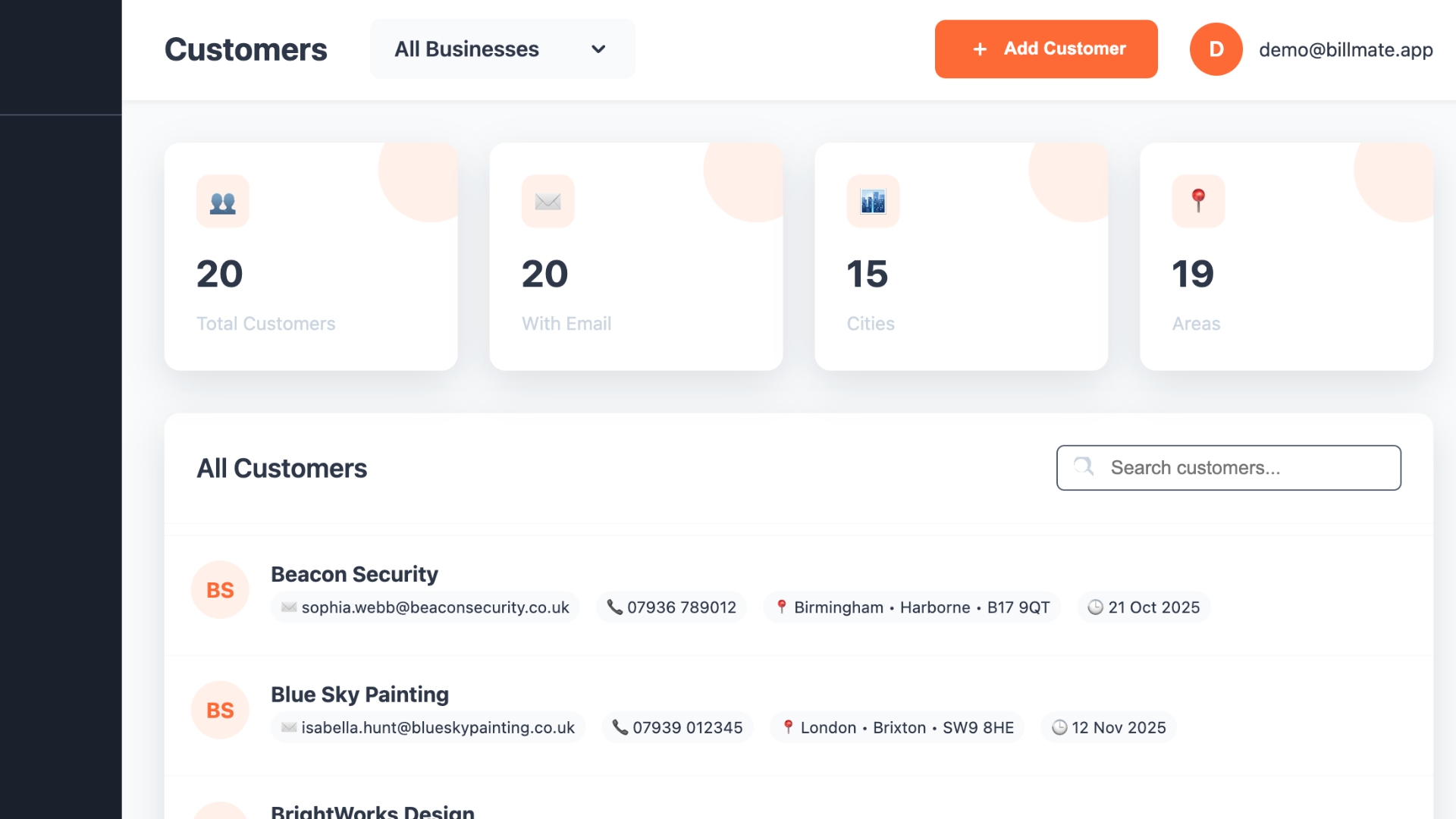
Client Dashboard

Intelligent Client Suggestions

Let smart prompts keep your CRM clean and actionable

Client Suggestions
🔁

Duplicate Detection

Prevent duplicate customers with intelligent matching of names, emails, and phone numbers

Profile Enrichment

Auto-suggest missing fields and format validation for clean data

📊

Priority Signals

Highlight clients with recent activity or unpaid invoices for quick follow-up

🏷️

Smart Segments

Auto-group customers by activity, spend, or business

Actionable CRM Insights

Know your customers and grow relationships that drive revenue

📈

Client Engagement

See recent activity, outreach cadence, and follow-up reminders

💼

Revenue by Client

Understand top customers by invoice totals and repeat business

🗂️

Segments & Lists

Create targeted lists for campaigns and account management

🔗

Linked Records

Track invoices, quotes, and payments associated with each client

But that’s not all — Our Online CRM makes Clients Effortless

Manage customers on the web with pro templates, live activity tracking, and seamless sync with the iOS app.

App ⇄ Web Sync — Your Clients Everywhere

Add customers on iOS and see them instantly on the web CRM. Edits, segments, and linked invoices stay in sync automatically.

Trusted by Smart Businesses

See how entrepreneurs are mastering client relationships with BillMate

JD

James Davies

Consultant, London
★★★★★

"The client management in BillMate is seamless. I can add a new lead on my iPhone while walking out of a meeting, and my assistant sees it instantly on the web."

SL

Sarah Lewis

Creative Director, Manchester
★★★★★

"Managing clients across my three different agency brands was a nightmare until BillMate. Now everything is segmented perfectly."

MR

Mike Ross

Contractor, Birmingham
★★★★★

"I love the 'Recent Activity' tracking. It reminds me who I haven't spoken to in a while. Great for keeping relationships warm."

EP

Emma Patel

Freelance Designer, Leeds
★★★★★

"The ability to attach notes and files to client profiles is a lifesaver. I never lose track of project requirements now."

TB

Tom Baker

Landscaper, Bristol
★★★★★

"Simple, fast, and effective. Adding customers takes two seconds. The map integration for addresses is really handy for my site visits."

LJ

Lucy Jenkins

Event Planner, Brighton
★★★★★

"Finally, a CRM that doesn't feel like a spreadsheet. It's actually enjoyable to use and my client data has never been cleaner."

DK

David King

IT Support, Cardiff
★★★★★

"The sync between the app and the web dashboard is instantaneous. It's improved our team's response time to client queries significantly."

RW

Rachel Wright

Marketing Lead, Edinburgh
★★★★★

"We moved from a complex enterprise CRM to BillMate. It does exactly what we need—manages clients and invoices—without the bloat."

Client Management FAQs

Common questions about managing your customer database

Yes, absolutely. You can import contacts directly from your phone's address book or upload a CSV file via the web dashboard to populate your client list instantly.

No. BillMate allows you to add unlimited client records on all paid plans. Grow your database as large as you need without hitting artificial caps.

Yes. If you run multiple companies, you can assign clients to specific businesses. This keeps your data organized and ensures you send invoices from the correct brand.

Yes. You can add new clients or edit details while offline. The app will automatically sync your changes to the cloud the next time you connect to the internet.

Yes. You can attach contracts, project briefs, images, or notes to any client profile, keeping all relevant documentation in one secure place.

Your client data is encrypted with bank-level security both in transit and at rest. We are fully GDPR compliant and never share your data with third parties.

Yes. You retain full ownership of your data. You can export your full client list to CSV or Excel formats at any time from the web dashboard.

On the iOS app, you can grant permission to access contacts, making it easy to pull existing details into BillMate without manual typing.

Build Stronger Relationships with BillMate CRM

Add clients, track activity, and link billing—all in one place