CRM Invoicing Software for Modern Businesses

CRM Invoicing Made Simple

BillMate is a CRM invoicing platform that keeps customer data and billing in one place. Send invoices from your CRM, track who’s paid, automate reminders, and manage client relationships without switching tools.

Your CRM Invoicing Control Center

A CRM with billing built in – send invoices from your CRM , automate follow‑ups, and see every payment beside your customer history.

CRM with Billing Built In

Manage contacts, companies, and deals, then create and send invoices directly from each CRM record. No exporting, no copy‑paste – truly integrated CRM invoicing.

Send Invoice from CRM in Seconds

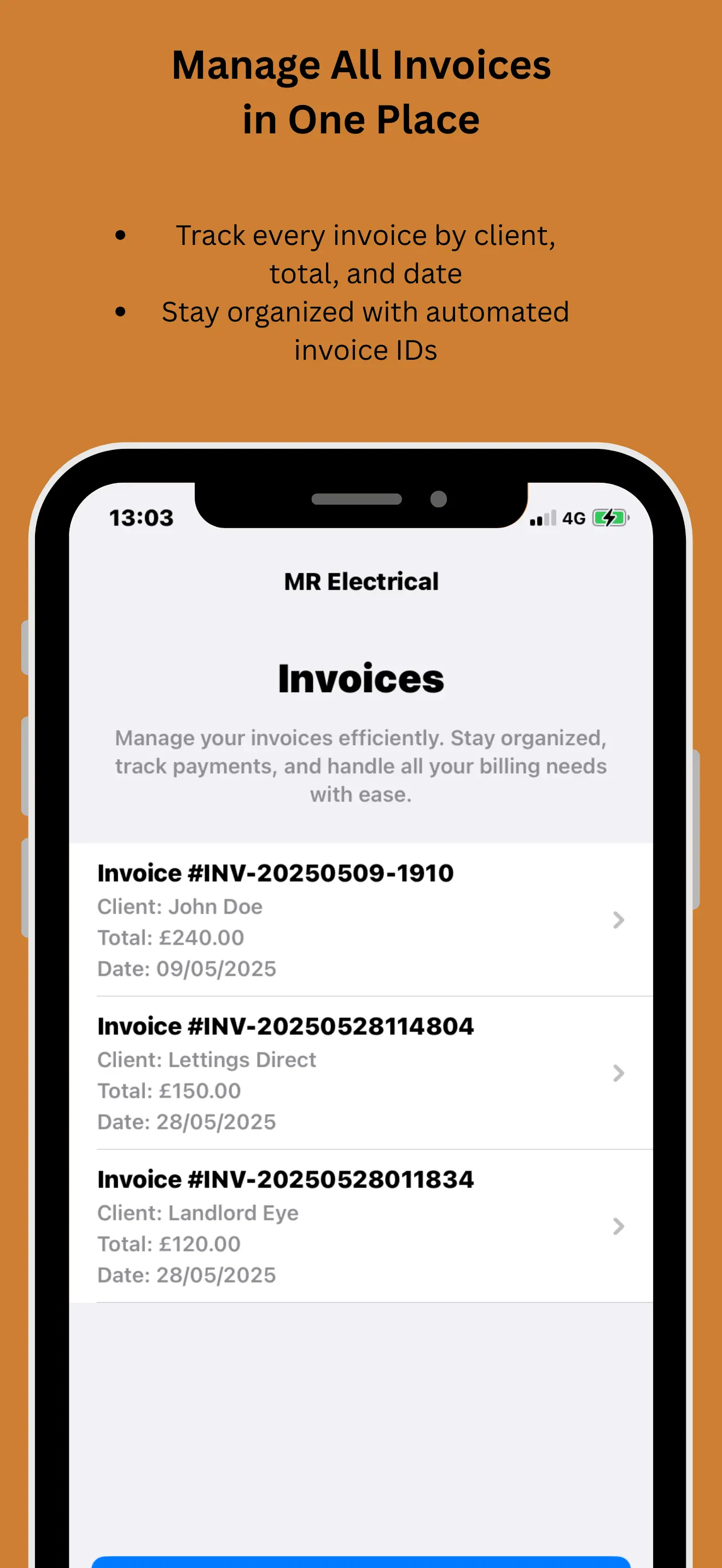
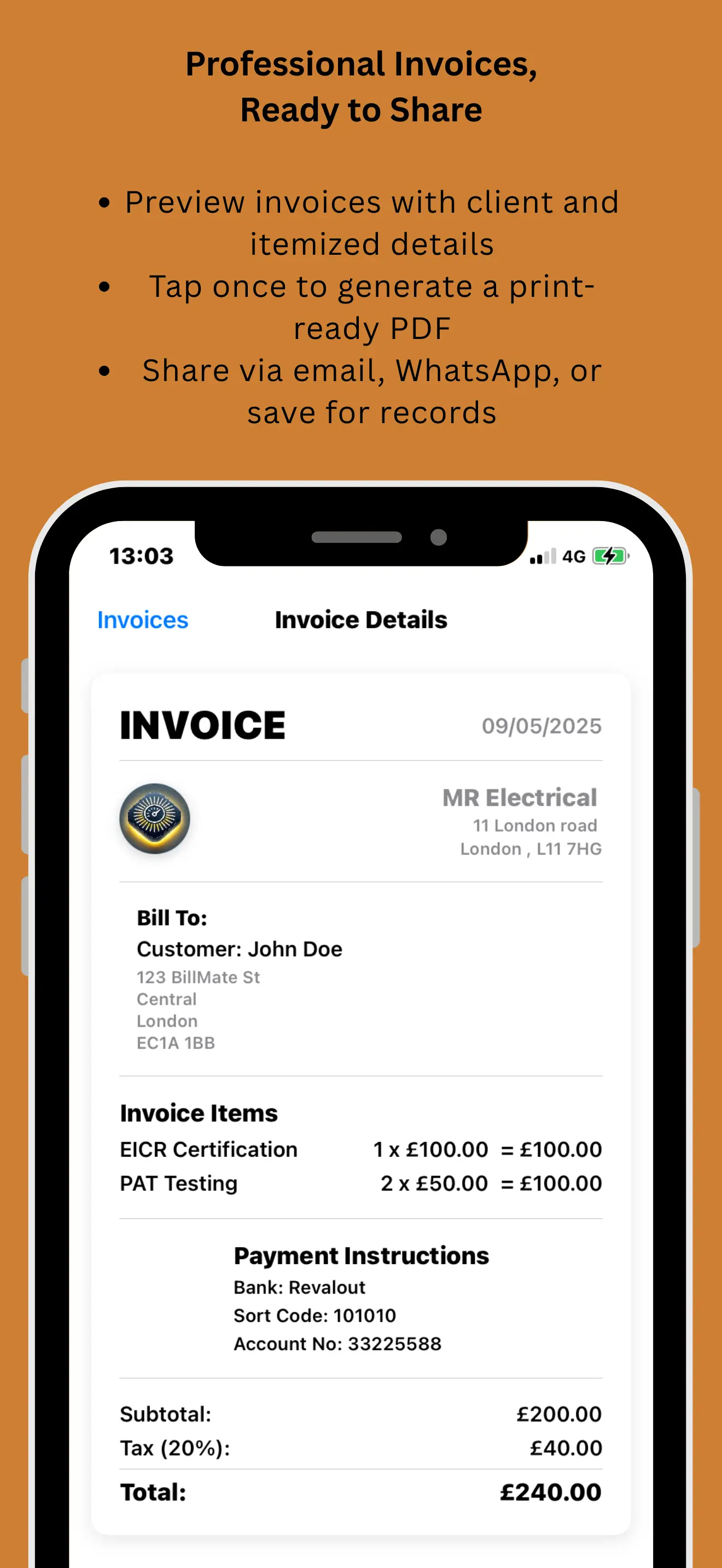
Open a client profile, tap “Create invoice”, pick your items, and send. The invoice is automatically tied to that CRM contact and visible on their timeline.

CRM Invoice Automation

Automate billing workflows: recurring invoices, payment reminders, and status updates. Use BillMate as your CRM invoice tool to reduce manual chasing.

Payment Timeline in the CRM

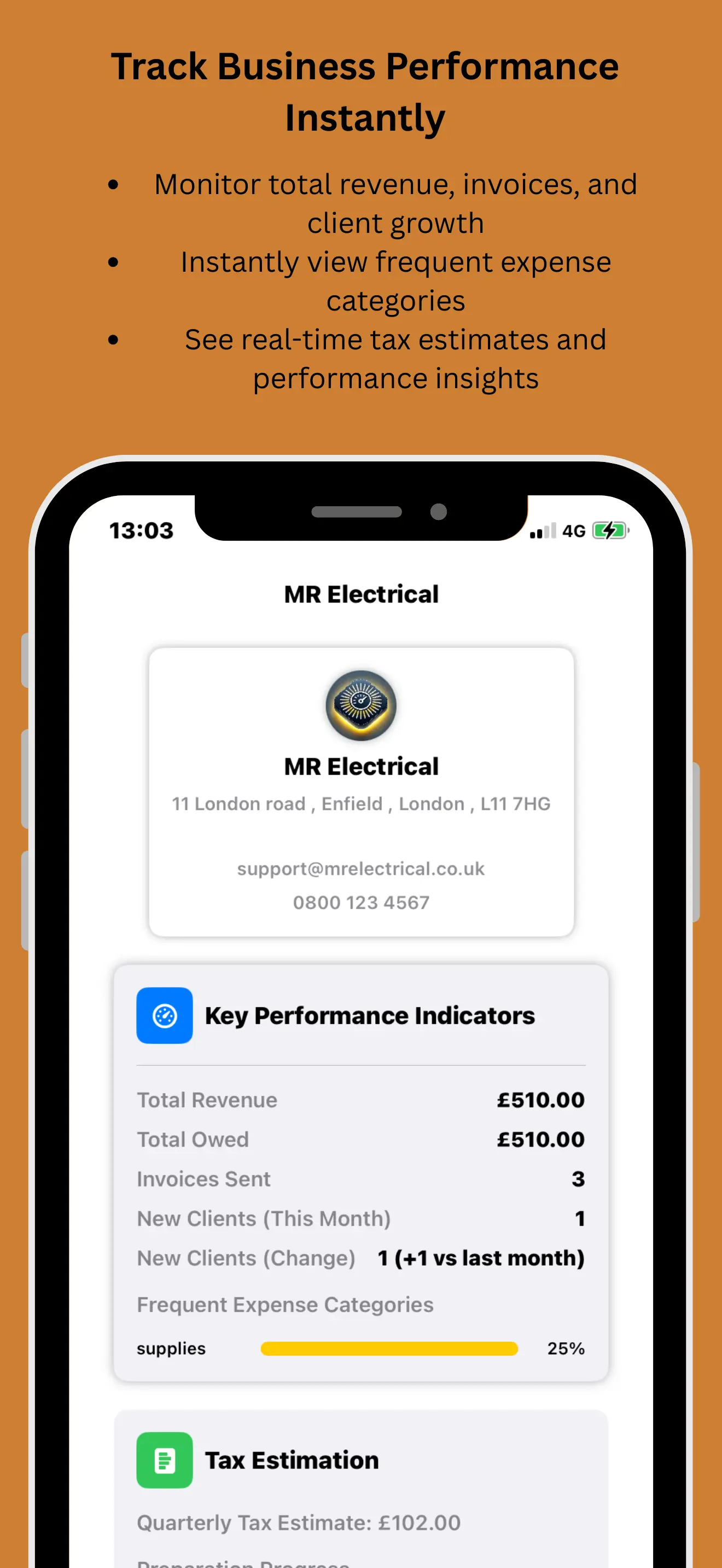
See every quote, invoice, and payment inside your CRM. Track overdue invoices, lifetime value, and buying patterns for each customer.

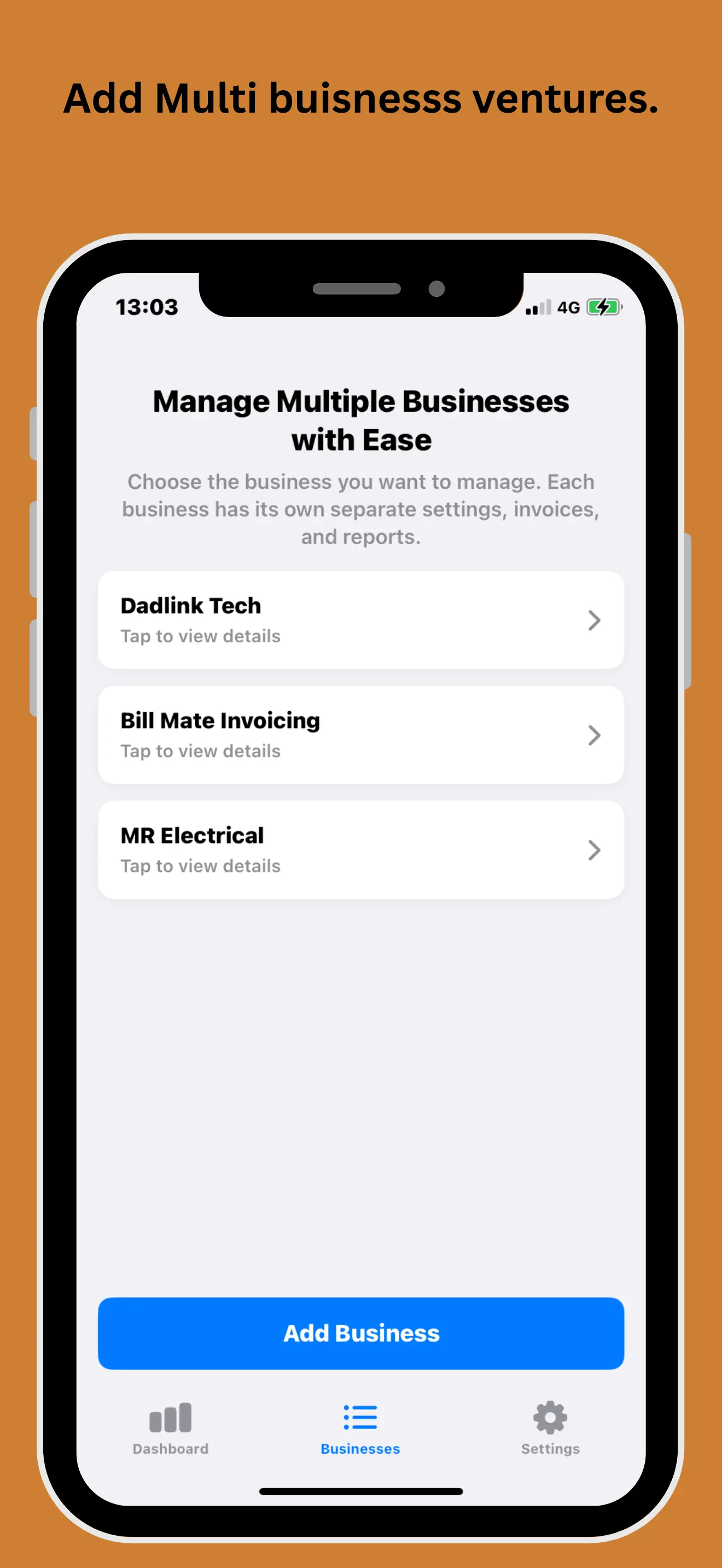
Multi‑Business CRM Invoicing

Run CRM invoicing for multiple businesses from one account. Keep brands, invoice sequences, and customer lists separate but still managed in a single CRM.

Professional PDFs & History

Generate unlimited PDFs for quotes and invoices while keeping a complete CRM activity log of who received, viewed, and paid each document.

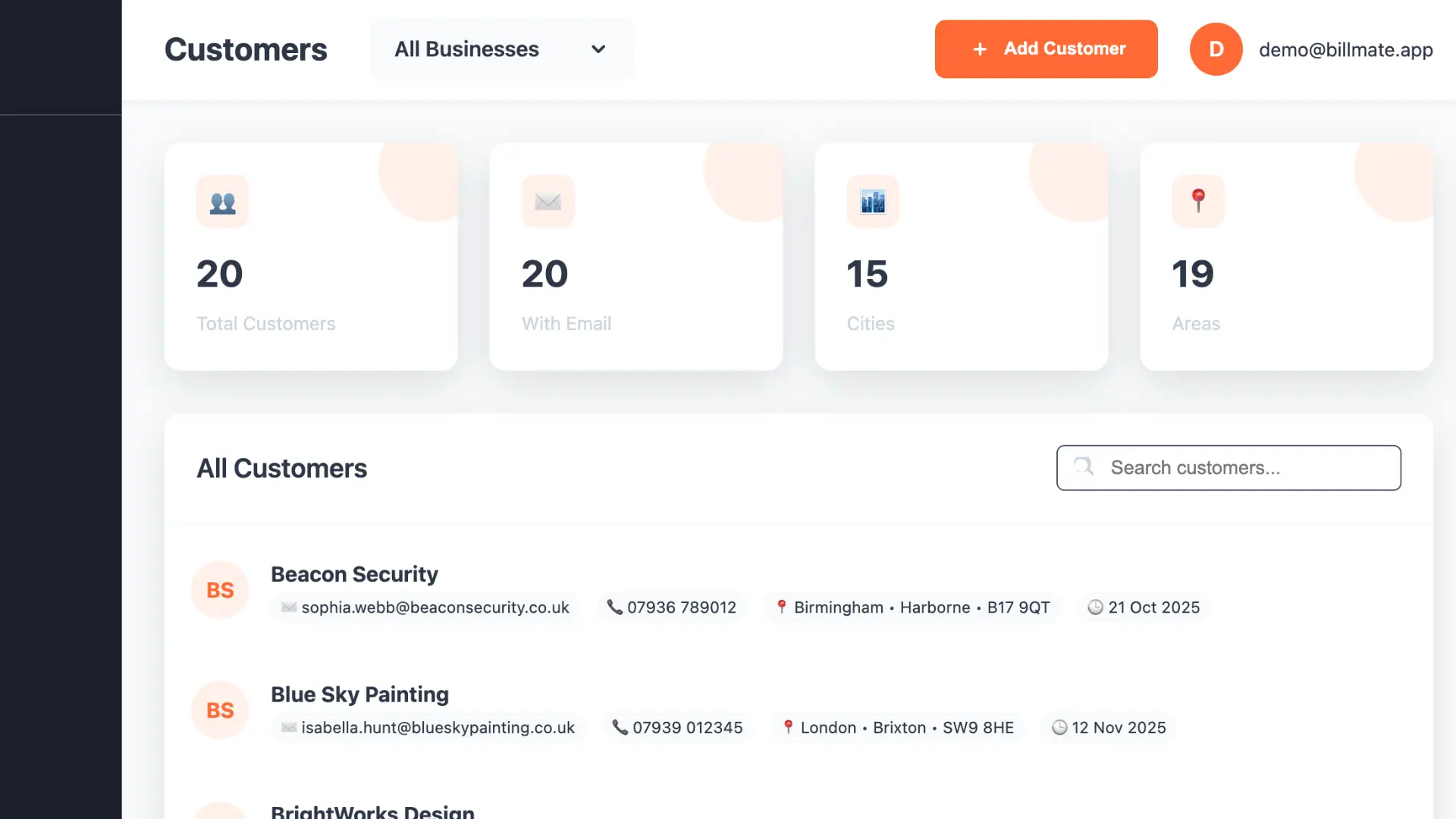
BillMate CRM Web Dashboard

Prefer desktop? Use our web CRM invoicing dashboard to manage contacts, invoices, and payments from any browser.

Centralised CRM with Billing

View the full customer journey – from first contact through to paid invoice – in one CRM screen. No more disconnected invoicing systems.

  • Complete CRM contact and company database
  • Revenue and overdue invoice graphs inside the CRM
  • Create and send invoices from CRM records
  • Real‑time sync with the mobile CRM invoicing app
BillMate CRM invoicing web dashboard with clients and revenue

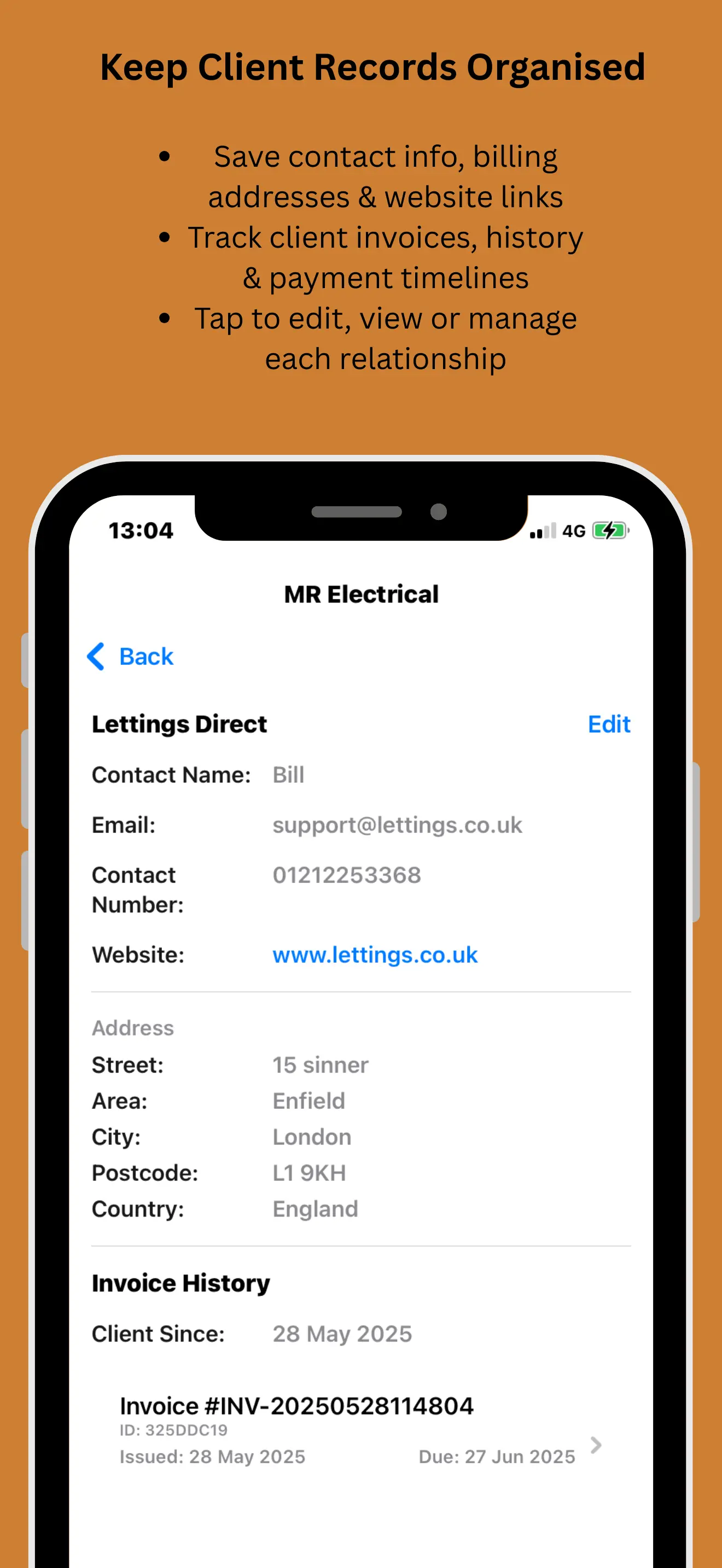
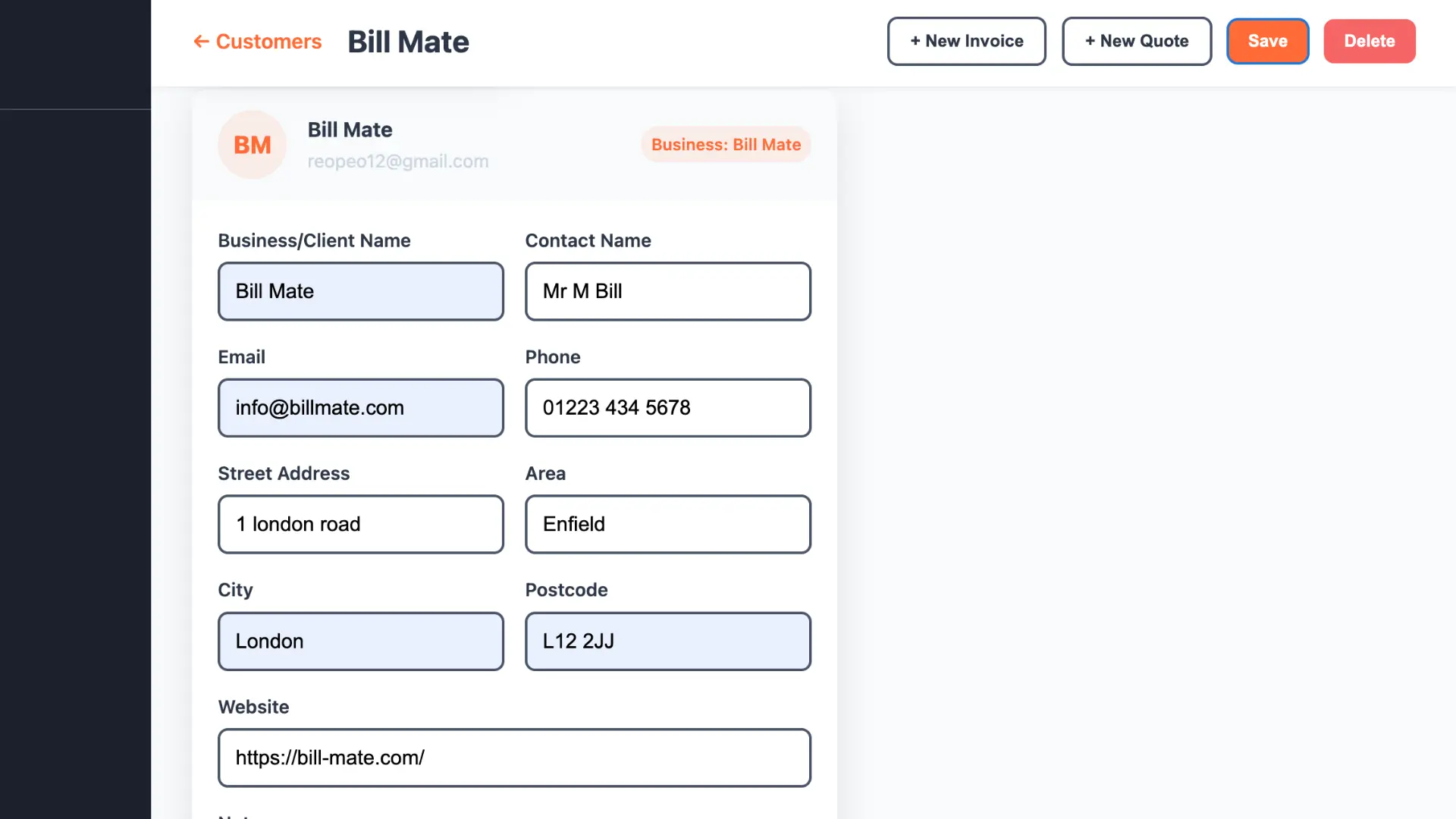
Invoice History in Each Client Profile

Open any CRM contact to see every quote, invoice, and payment. BillMate keeps billing tightly linked to your client records.

  • Full invoice and payment timeline per contact
  • Edit business and billing details easily
  • Filter clients by balance, status, or recent invoices
CRM client details showing invoices and payments

Desktop CRM Invoicing Suite

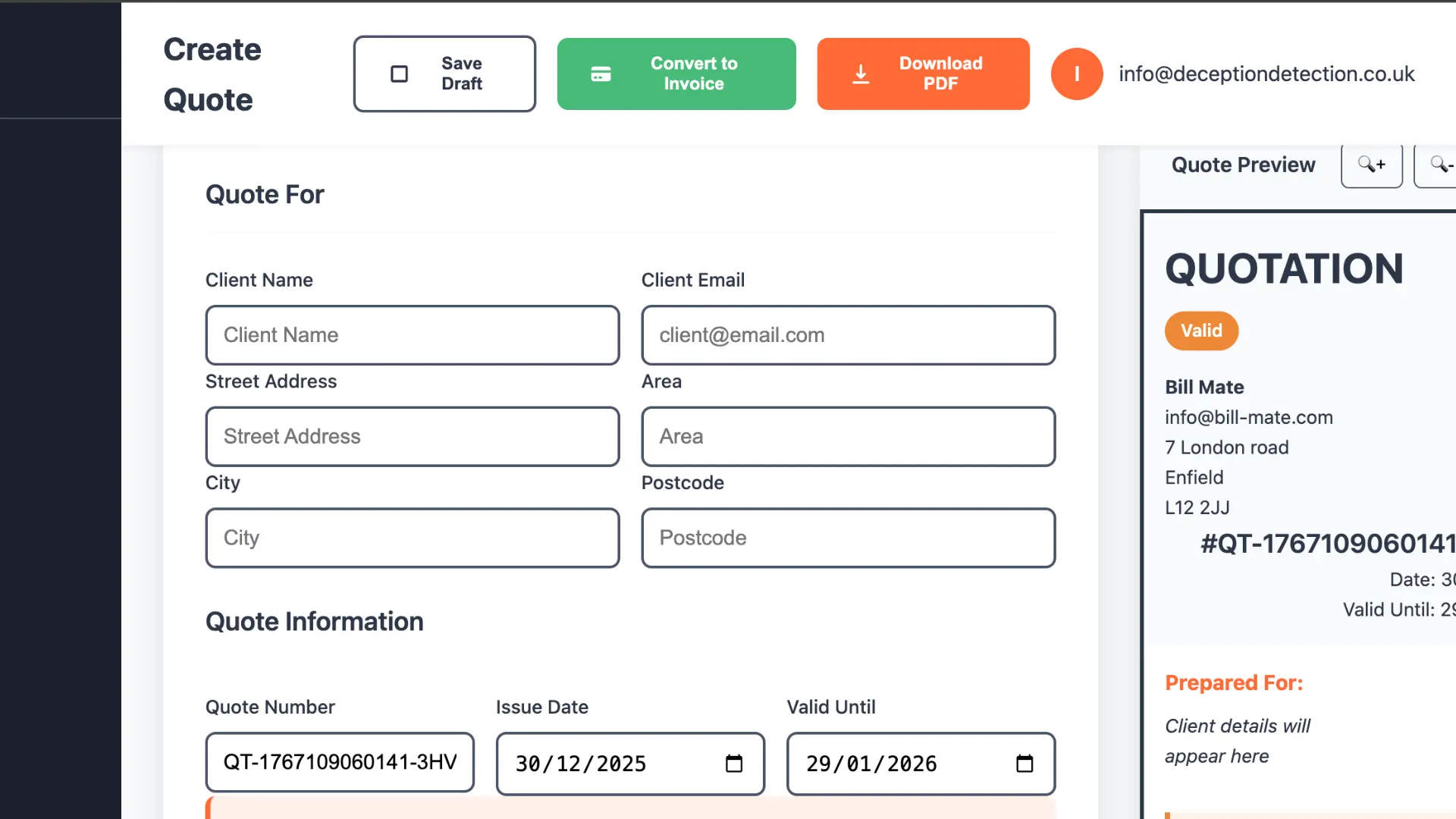
Create, preview, and send invoices without leaving your CRM

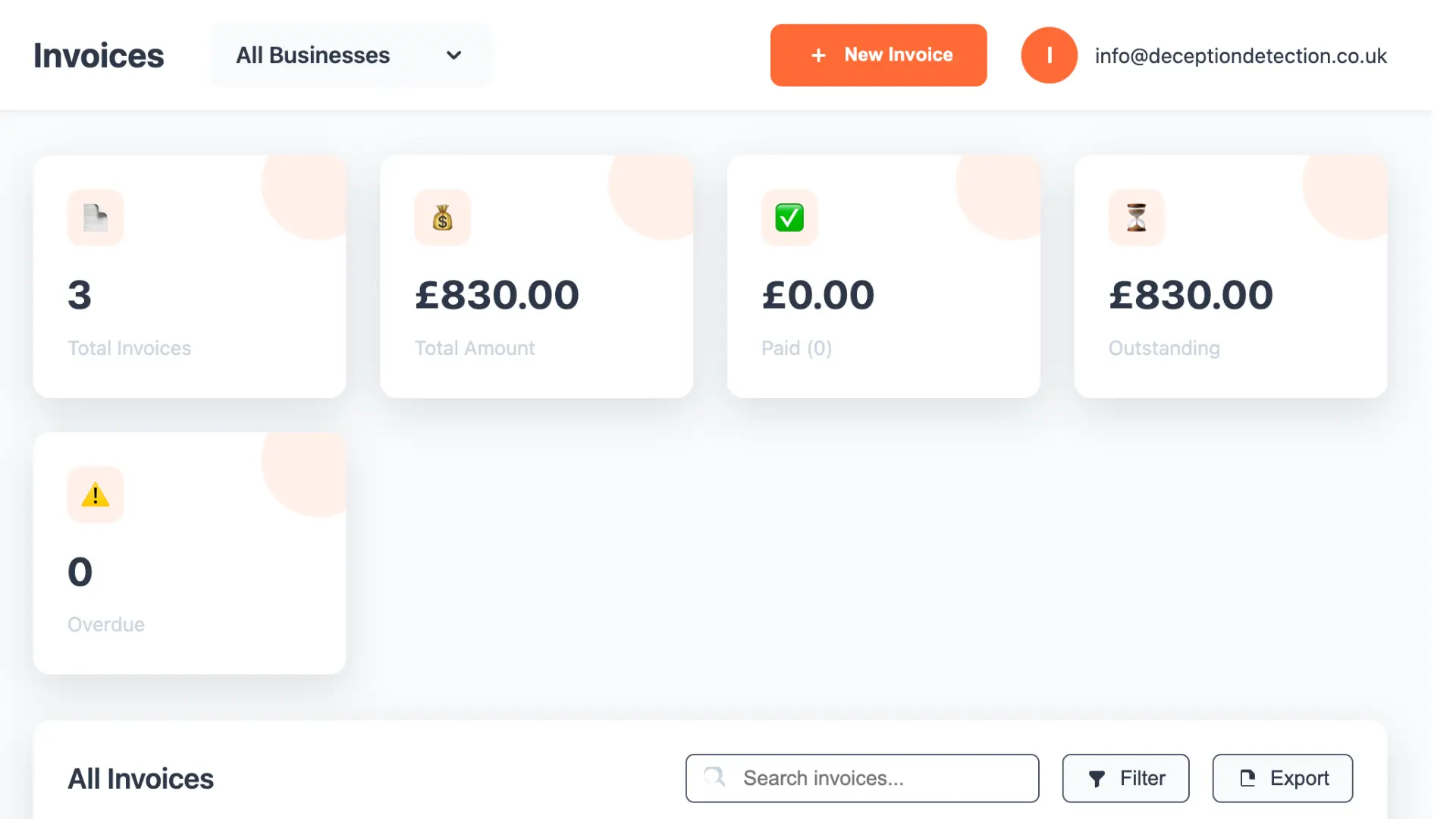
CRM invoice dashboard with statuses and amounts
CRM Invoice Dashboard
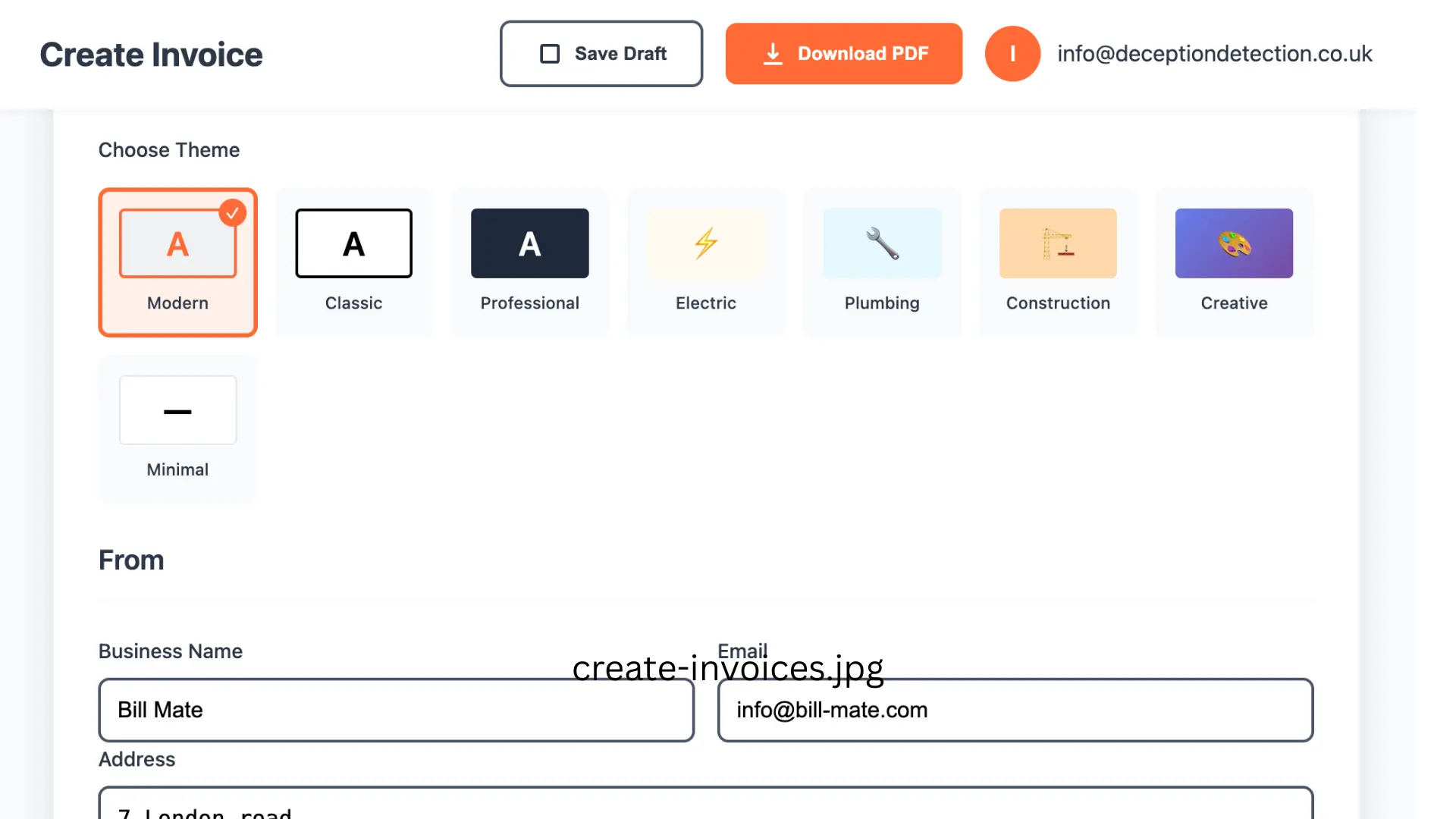
Create invoice from CRM contact screen
Create Invoices from CRM
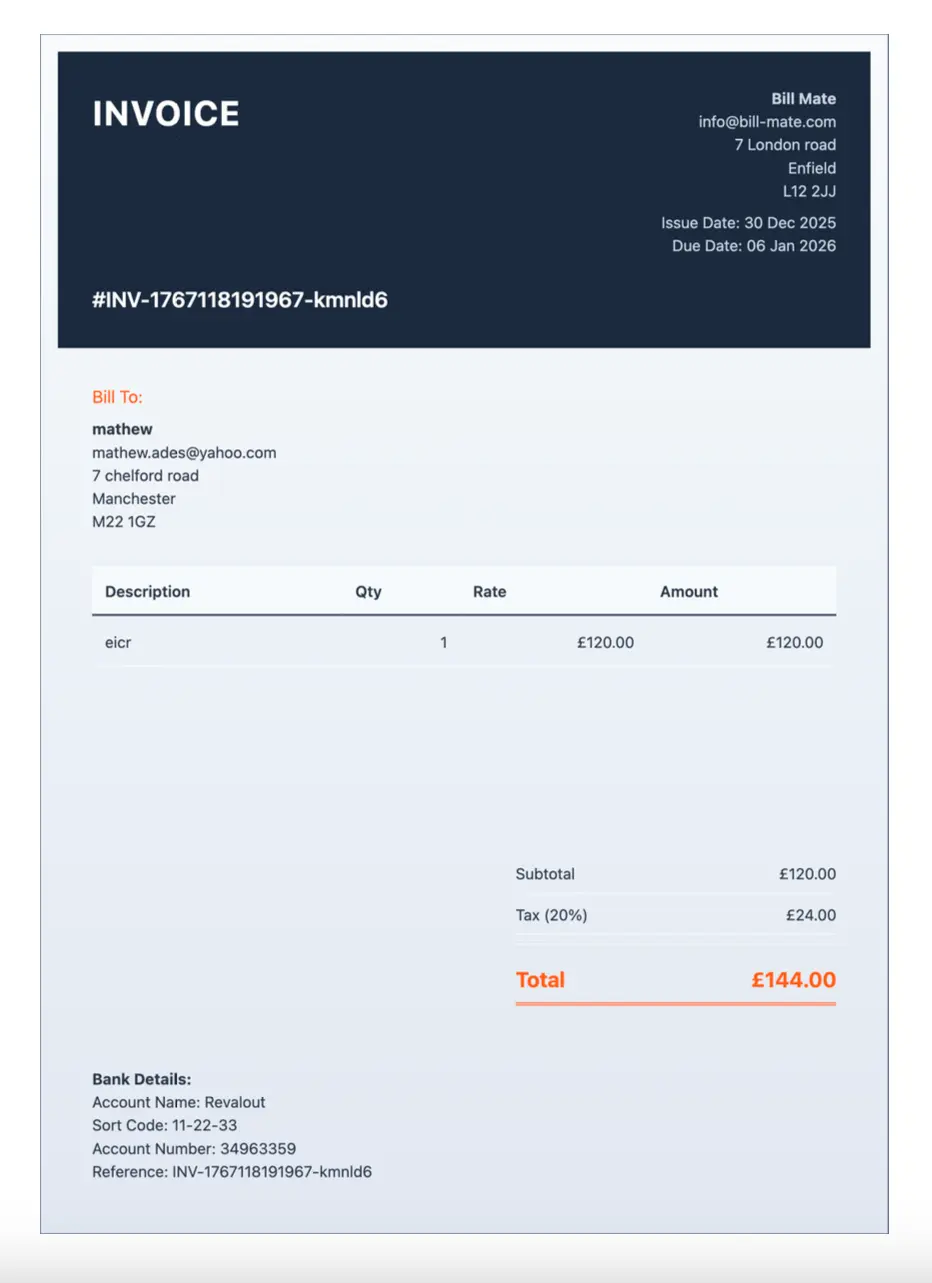
CRM invoice PDF preview before sending
Invoice PDF Preview in CRM
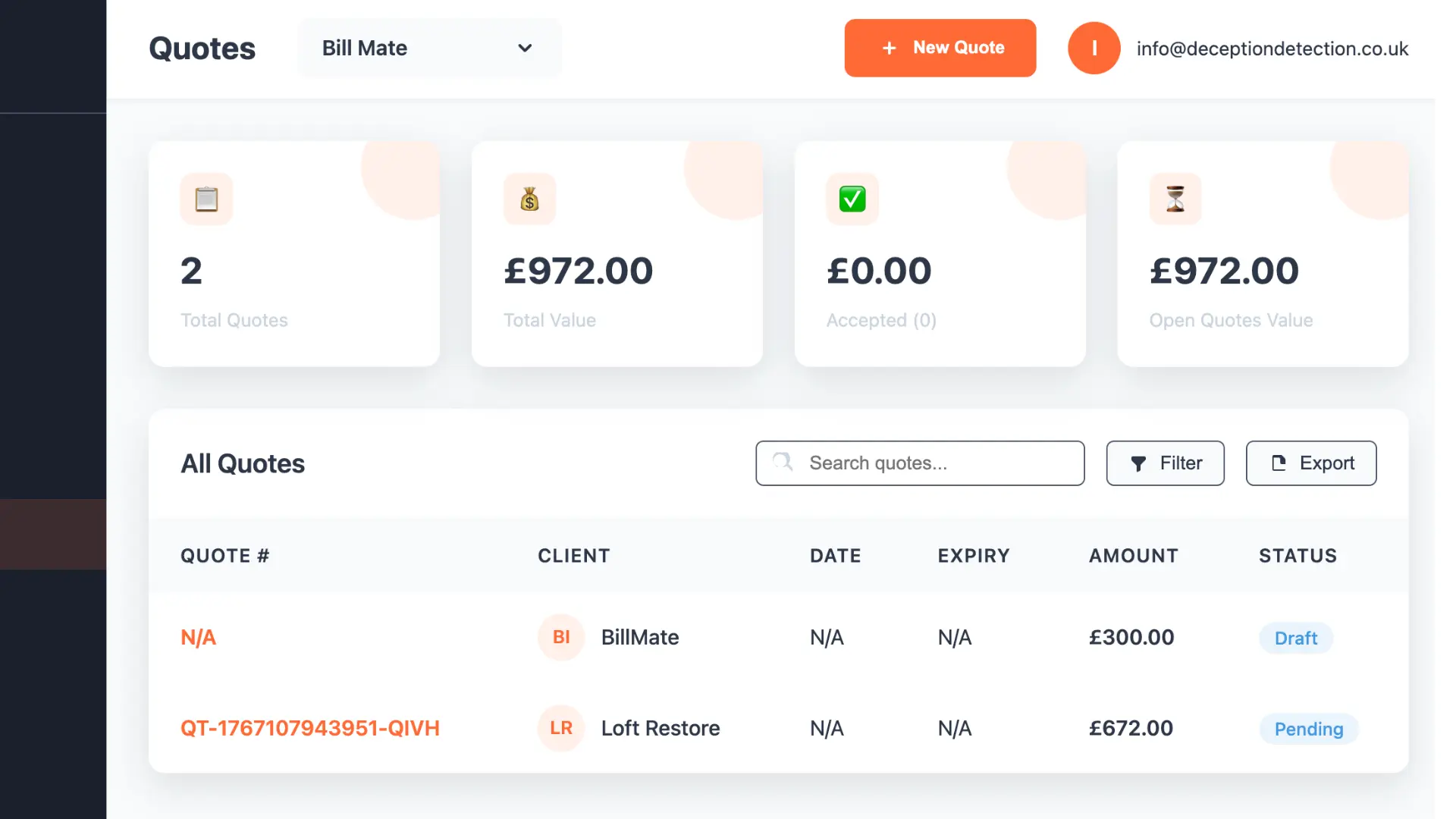
CRM quotes and estimates dashboard
Quotes & Estimates inside CRM
Create quote from CRM deal or contact
Create Quotes from CRM Deals

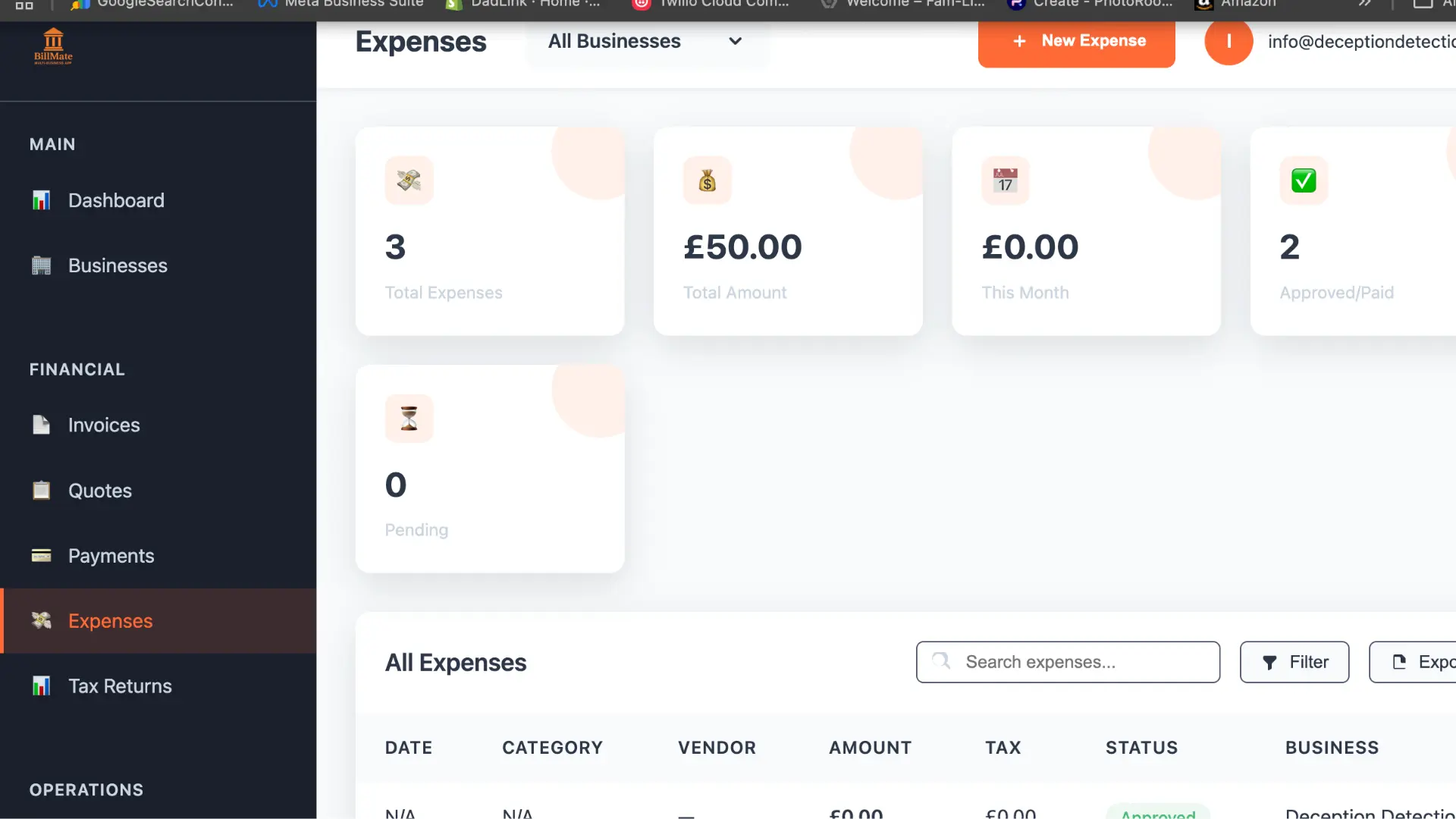
CRM‑Linked Expense Tracking

Match expenses to clients and projects so your CRM reports show real profit – not just invoice totals.

  • Bulk expense entry from desktop
  • Attach receipts to CRM records
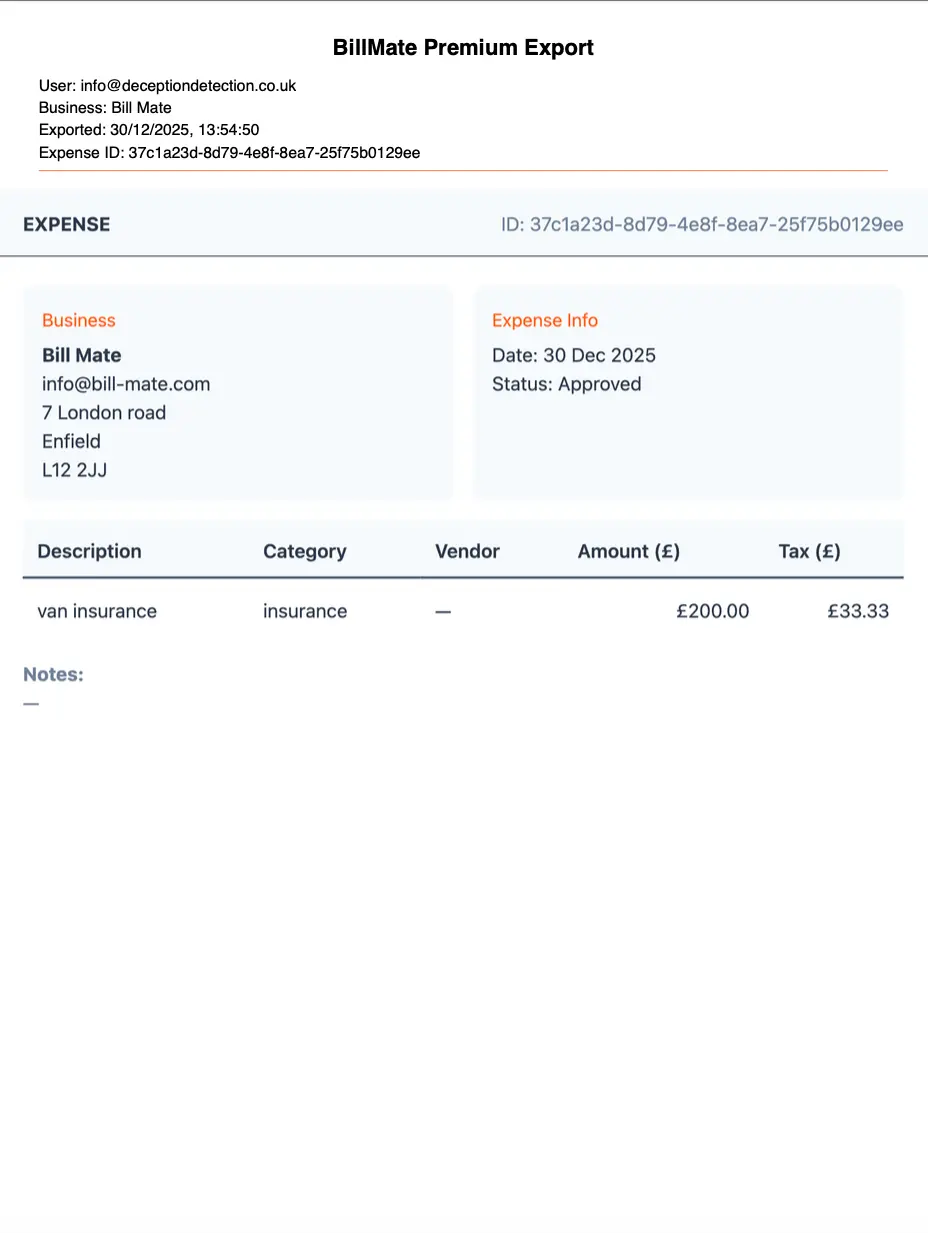
  • Download CRM expense reports as PDF
  • Visual breakdown by client, project, or category
CRM expense tracking dashboard linked to clients
Download CRM expense reports as PDF

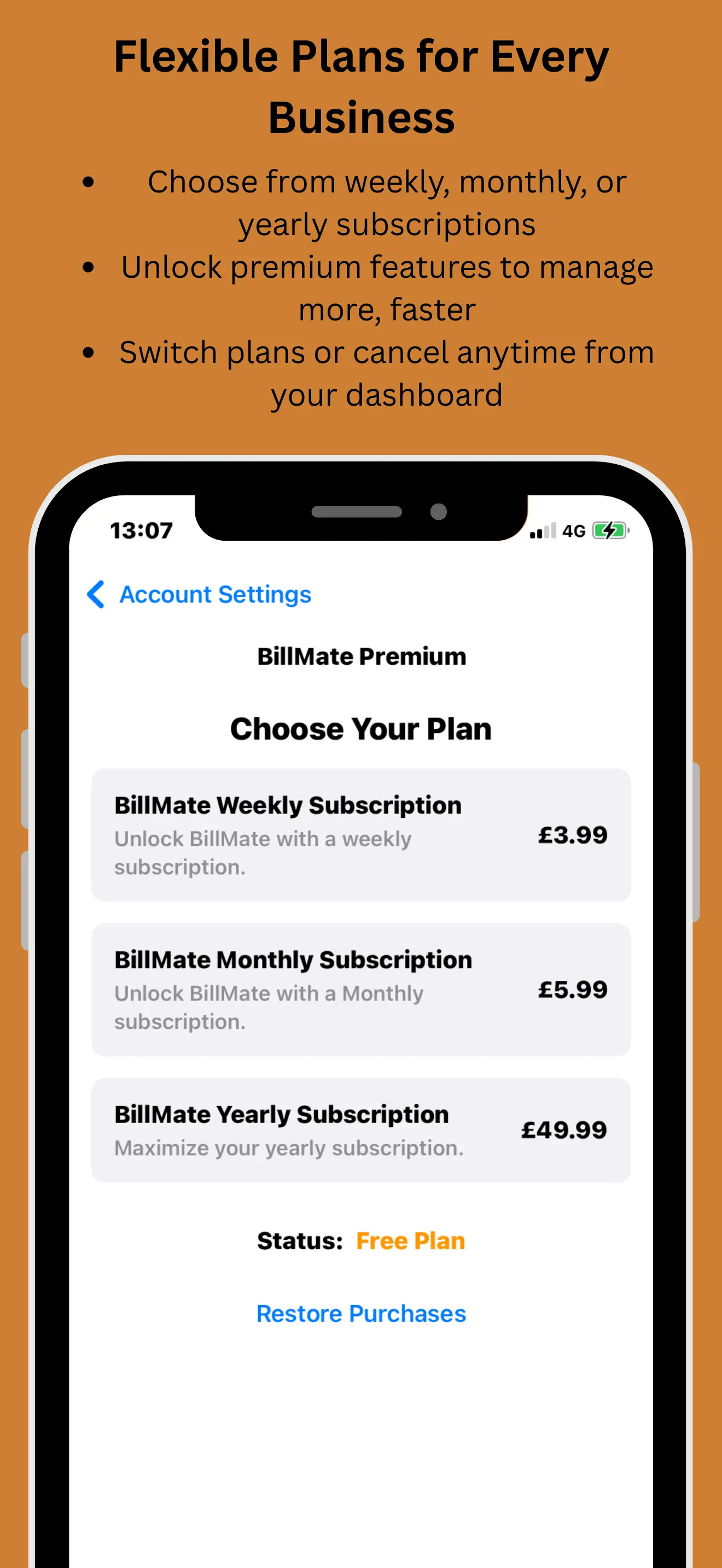
CRM Invoicing Pricing

Every plan includes full CRM invoicing features: send invoices from your CRM, automate billing, and track payments across all your customers.

Weekly CRM Invoicing

£3.99 / week

Ideal for testing BillMate as your CRM invoice tool or running short‑term projects.

  • Full CRM invoicing software
  • Unlimited businesses
  • Unlimited invoices & quotes
  • Client CRM & contact management
  • Expense tracking linked to CRM
  • Legal support tools
  • Cloud sync across devices
  • Priority support
Start Weekly Plan

Monthly CRM Invoicing

£5.99 / month

Flexible CRM billing for freelancers, consultants, and growing teams.

  • CRM with billing features built in
  • Unlimited invoices & clients
  • Send invoice from CRM in seconds
  • CRM invoice automation & reminders
  • Professional PDF quotes & invoices
  • Multi‑business support
  • Cloud sync & data backup
  • Priority customer support
Start Monthly Plan
BEST VALUE

Annual CRM Invoicing

£49.99 / year

Best value for serious businesses that rely on CRM invoicing every day.

  • All CRM invoicing software features
  • Unlimited businesses & contacts
  • Unlimited invoices, quotes & receipts
  • Advanced CRM invoice automation
  • Legal support for unpaid CRM invoices
  • Cloud sync on mobile and web CRM
  • Priority support & new features
Start Annual Plan
Weekly CRM: £3.99
Monthly CRM: £5.99
Annual CRM: £49.99 BEST VALUE

Why Choose BillMate CRM Invoicing?

For entrepreneurs, contractors, and SMBs who want CRM‑first customer and billing management

CRM‑First
Billing Built into Contacts
Multi‑Business
CRM & Invoices per Brand
Automation
Smart Invoice Workflows
Legal
Support for Unpaid Invoices

Trusted as a CRM Invoice Tool

AJ

Alex Johnson

Freelance Designer

★★★★★
"Creating professional invoices used to take me hours. With BillMate CRM invoicing, I send them out in seconds from my phone, and clients pay much faster."
SM

Sarah Miller

Consultant

★★★★★
"The payment tracking inside the CRM is brilliant. I see exactly when a client views an invoice, so no more 'I didn't receive it' excuses."
DR

David Ross

Construction Business

★★★★★
"I run three different companies and being able to switch CRM profiles and invoice from the correct brand instantly is invaluable."
EP

Emma Patel

Marketing Agency

★★★★★
"The automated CRM invoice reminders are my favourite feature. I don't have to chase – the system follows up for me."
MJ

Mike Jones

Plumber

★★★★★
"I can send an invoice from the CRM before I leave the job site. It makes my small business look incredibly professional."
LW

Lucy White

Copywriter

★★★★★
"Linking expenses and invoices to clients in the CRM gives me a clear profit picture. The dashboard is my morning check‑in."
TB

Tom Baker

IT Contractor

★★★★★
"The multi‑currency CRM invoicing support is flawless. I invoice UK and overseas clients without thinking about formats."
RC

Rachel Clark

Event Planner

★★★★★
"Best CRM invoice tool I've used. Simple, clean, and the reporting exports save days of admin at tax time."
CF

Chris Fletcher

Electrician, Sheffield

★★★★★
"The CRM and invoicing are properly linked. I tap on a client, see their full history, and fire off a new invoice in seconds. No retyping anything."
HC

Hannah Clarke

Yoga Studio Owner, Bath

★★★★★
"Having a CRM that also handles invoicing means I don't need two separate apps. Client details, payment history, and invoices all live in one place."
PW

Paul Walker

Locksmith, Wolverhampton

★★★★★
"I invoice from the client's CRM profile and it auto-fills their name, address, and payment terms. The whole thing takes about ten seconds."
NP

Natalie Price

Virtual Assistant, Brighton

★★★★★
"I manage three businesses and BillMate's CRM invoicing keeps every client relationship and every invoice under the right brand. No mix-ups, ever."
GR

Gary Robinson

Painter & Decorator, Newcastle

★★★★★
"I'm not a tech person but the CRM invoicing is dead simple. Add the customer once, invoice them forever. Their details are always there waiting."
JO

Jessica O'Brien

Social Media Agency, Oxford

★★★★★
"The invoice CRM combination is exactly what my agency needed. I see which clients owe me, who's paid, and which accounts are most profitable — all in one dashboard."
AK

Adam King

Roofer, Sunderland

★★★★★
"Quote a job, convert it to an invoice, and it's all linked to the customer's CRM record. One workflow from start to payment. Brilliant."
RD

Rebecca Davies

Cake Maker, Swansea

★★★★★
"My CRM has every customer's order history and preferences. When I invoice them, it pulls through the right details automatically. Saves me so much time."
SM

Stuart Mitchell

Photographer, York

★★★★★
"I invoice my wedding clients and commercial clients from separate CRM profiles with different branding. Each one gets a tailored, professional PDF."
FG

Fiona Grant

Bookkeeper, Aberdeen

★★★★★
"I tell every small business client to get BillMate. The CRM invoicing is simple enough for anyone, but the reporting underneath is genuinely useful for tax time."
DO

Daniel Owen

Window Cleaner, Coventry

★★★★★
"Recurring invoices linked to CRM client records have changed my business. My regular customers get billed automatically every month without me doing a thing."
ZA

Zara Ahmed

Web Developer, Leicester

★★★★★
"The invoice CRM workflow is seamless. Client onboarding, quoting, invoicing, and payment tracking all happen inside one app. No more spreadsheet chaos."
BT

Ben Taylor

Gas Engineer, Derby

★★★★★
"The CRM stores my customer's boiler details, and the invoice pulls through the right labour and parts lines. It's like having an admin assistant on my phone."
CM

Claire Morgan

Dog Groomer, Southampton

★★★★★
"Each client in my CRM has their pet's details and service preferences. When I invoice, the line items are already set up. One tap and it's sent."
IA

Ian Anderson

Driving Instructor, Plymouth

★★★★★
"I track each student's lessons in the CRM and invoice their parents monthly. The whole process from records to billing is completely joined up."
OW

Olivia Ward

Interior Designer, London

★★★★★
"My CRM invoicing workflow goes: brief → quote → approve → invoice → paid. Every step is logged against the client. It's proper project management for freelancers."
JH

James Harper

Builder, Stoke-on-Trent

★★★★★
"The CRM reminds me when an invoice is overdue so I can chase the customer. Their profile shows every interaction, so I always know where I stand."
MP

Megan Parry

Tutor, Cambridge

★★★★★
"CRM invoicing for tutoring is perfect. Each parent has a profile, I log the sessions, and a monthly invoice generates automatically. No admin headaches."
LB

Liam Bradley

Mobile Mechanic, Doncaster

★★★★★
"I open the client's CRM profile, add the parts and labour, hit send, and the customer gets a branded PDF invoice before I've driven off. Love it."
VE

Victoria Evans

Salon Owner, Reading

★★★★★
"My salon CRM tracks every client visit. When I send invoices for bridal packages, the quote, deposit, and final balance are all linked to one client record."
NW

Nathan Wright

Tiler, Exeter

★★★★★
"The CRM invoice feature means I never send a quote to the wrong person or from the wrong business. Everything's tied to the right customer profile."
SK

Sophie King

Nail Technician, Norwich

★★★★★
"I invoice my nail studio clients and my online kit shop customers from separate CRM profiles. Each business has its own branding, terms, and payment tracking."
AJ

Andrew James

Landscape Gardener, Chester

★★★★★
"CRM invoicing lets me send itemised breakdowns — labour, plants, materials — all pulled from the quote I built in the customer's profile. Professional and fast."
ER

Emily Roberts

Massage Therapist, Canterbury

★★★★★
"My CRM stores treatment history and my invoices are linked to each session. Corporate wellness clients get monthly CRM invoices on autopilot. Effortless."
MW

Marcus White

DJ & Sound Engineer, London

★★★★★
"DJ gigs and studio bookings are invoiced from different CRM profiles. Each client sees only their brand's invoice. The separation is seamless."
JC

Jenny Cooper

Childminder, Bournemouth

★★★★★
"Parents are stored in my CRM with their child's details. Monthly invoices go out automatically with the right hours and rates. No manual calculations."
RT

Robert Turner

CCTV Installer, Luton

★★★★★
"I quote from the CRM, convert to invoice once the job's done, and the payment status updates in real time. My invoicing process went from hours to minutes."
AT

Amy Thomas

Accountant, Milton Keynes

★★★★★
"Clients using BillMate's CRM invoicing have the cleanest books I've ever seen. Every invoice ties back to a client record with full history. Makes my job easy."
WD

William Davies

Scaffolder, Swansea

★★★★★
"I just pick the customer from my CRM, add the job details, and hit send. The invoice goes out as a proper branded PDF. My clients think I've got an office team."
PH

Priya Hussain

Fashion Designer, London

★★★★★
"My bespoke tailoring CRM invoices and my ready-to-wear invoices are completely separate. Different templates, different terms, different branding — all in one app."
SO

Sean O'Connor

Skip Hire, Telford

★★★★★
"My repeat customers are in the CRM, so invoicing is one tap. New customers get added once and then every future invoice auto-fills from their profile."
LH

Lucy Harris

Life Coach, Harrogate

★★★★★
"Coaching session notes live in the CRM, and invoices for each package are linked to the client. When a client asks for a receipt, I pull it up in three seconds."
KM

Kevin Murphy

Pest Controller, Northampton

★★★★★
"The CRM invoice workflow is perfect for tradespeople. Turn up, do the job, create the invoice from the client profile, send it, leave. Done before I reach the van."
JW

Jade Williams

Makeup Artist, Liverpool

★★★★★
"Bridal clients get invoices from my wedding CRM profile, editorial clients from my commercial profile. Each looks like it comes from a completely different company."
OB

Oscar Brown

Music Teacher, Cheltenham

★★★★★
"Students and their parents are in the CRM with lesson schedules. Monthly invoices are generated from those records automatically. I've not missed a billing cycle since."
DM

Diane Marshall

Caterer, Warwick

★★★★★
"Each event client has a CRM profile with menu choices and headcount. The invoice pulls directly from the quote I built there. Quote to invoice in one tap."
TG

Thomas Green

Fencing Contractor, Hereford

★★★★★
"I measure up, build the quote in the CRM, get the go-ahead, then convert to invoice when the fence is done. The whole paper trail is under one customer record."
RK

Rachel Knight

Freelance Writer, Bristol

★★★★★
"My CRM stores each editor's rates and payment terms. When I finish a piece, the invoice auto-fills everything from their profile. Invoicing used to be my least favourite job — now it's painless."
JB

Jake Barrett

Tree Surgeon, Shrewsbury

★★★★★
"Even offline, I can create a CRM invoice for a customer. It syncs and sends the moment I get a signal. Essential for working in rural areas."
HN

Holly Newton

Cleaner, Wigan

★★★★★
"My domestic clients and Airbnb changeover clients are in separate CRM profiles. Each gets their own branded invoice at the right frequency. Fully automated."
PE

Patrick Edwards

Welder, Middlesbrough

★★★★★
"I invoice straight from the CRM. Pick the customer, add the line items, send. The PDF looks proper professional and I can see when they've opened it."
GS

Grace Sullivan

Physiotherapist, Winchester

★★★★★
"Patient sessions are tracked in the CRM and invoiced from the same profile. Private clients and sports clinic clients each see invoices from their respective brand."
MC

Mark Campbell

Removals, Peterborough

★★★★★
"The CRM stores the quote, the customer confirms, and I convert to invoice on completion day. The payment reminder chases them automatically if they're late."
AW

Alice Woodward

Jewellery Maker, Whitby

★★★★★
"Wholesale buyers and direct customers are in separate CRM lists with different pricing. The invoice pulls the correct rate from their profile automatically."
RJ

Ricky Johnson

Handyman, Ipswich

★★★★★
"The invoice CRM saves me retyping customer details every single time. One entry, then every future invoice for that client is pre-filled and ready to go."
TP

Tanya Palmer

Dog Walker, Richmond, London

★★★★★
"Monthly CRM invoices for my regular dog walking clients go out on the first of every month. I set it up once and BillMate bills them automatically."
NH

Neil Harrison

Plasterer, Barnsley

★★★★★
"The CRM invoicing turned me from a bloke with a plastering trowel into a bloke with a plastering business. Customers actually comment on how professional my invoices look."
IS

Isla Scott

Dietitian, Edinburgh

★★★★★
"My NHS consultancy and private practice have completely separate CRM invoice workflows. Different logos, different payment terms, one app. Exactly what I needed."
CB

Craig Barker

Courier, Rotherham

★★★★★
"Each business client has a CRM profile with their collection schedule. I invoice weekly from those profiles and the payment tracking shows me who's paid instantly."
LF

Lauren Foster

Speech Therapist, Belfast

★★★★★
"Session logs, progress notes, and invoices are all linked per child in the CRM. Parents get a clean professional invoice every month and I've got full records."
DH

Darren Hill

Glazier, Blackpool

★★★★★
"The VAT is calculated automatically on every CRM invoice. I just enter the net amount, pick the client from the CRM, and the PDF goes out with VAT perfectly formatted."
EA

Ellie Adams

Pilates Instructor, Guildford

★★★★★
"Private session invoices and class block booking invoices are handled through separate CRM workflows. The dashboard shows me revenue from each at a glance."
BW

Brian Walsh

Chimney Sweep, Lincoln

★★★★★
"I sweep the chimney, open the CRM, tap the customer, and send the invoice. The whole thing takes thirty seconds and the customer gets a PDF before I've loaded the van."
TM

Tara McCarthy

Property Manager, Nottingham

★★★★★
"Each landlord and tenant has a CRM record. Invoices for rent collection, maintenance charges, and management fees are all tracked per property. Total clarity."
JE

Jack Ellis

Tattoo Artist, Brighton

★★★★★
"Deposit invoices and final session invoices are linked to each client's CRM profile. I can see the full financial history per customer without hunting through emails."
SP

Samantha Pearce

Freelance PA, St Albans

★★★★★
"I invoice four different directors through separate CRM profiles. Each one gets a correctly branded invoice with the right hourly rate. Zero room for error."
AF

Alex Fisher

Video Editor, London

★★★★★
"YouTube clients and corporate clients sit in different CRM profiles with different rate cards. The invoice pulls the right pricing every time. No manual checking."
WS

Wendy Stevens

Mobile Hairdresser, Grimsby

★★★★★
"My CRM has every client's service history. When I invoice, the line items reflect exactly what was done that visit. It's personal and professional at the same time."
PD

Phil Dixon

Electrician, Stockport

★★★★★
"The CRM invoicing dashboard shows me total invoiced, total paid, and total outstanding at a glance. I know exactly where my cash flow is at all times."
RA

Ruby Allen

Ecommerce Seller, Colchester

★★★★★
"Four online shops, four CRM profiles, four sets of branded invoices. The invoice CRM setup means every wholesale buyer gets the right branding and payment terms automatically."
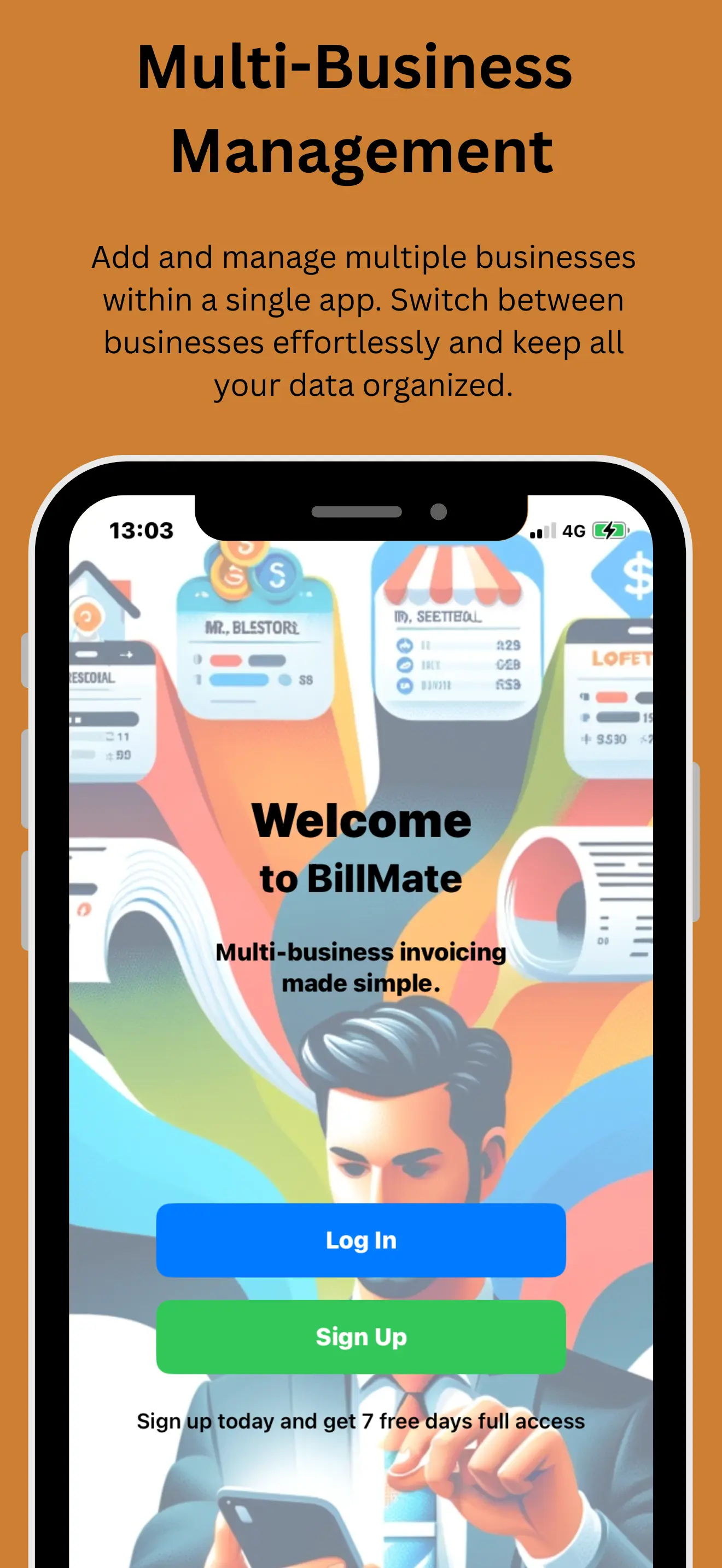
See BillMate in Action

Watch how business owners create professional invoices, track expenses, and manage multiple businesses — all from one app rated 5 stars.

Join the UK's highest rated invoice app

CRM Invoicing FAQs

What is CRM invoicing software? +

CRM invoicing software combines customer relationship management with billing in a single platform. Instead of using one tool to manage your clients and a separate tool to create invoices, everything lives in one place — meaning every invoice is tied directly to a client record with their full contact details, interaction history, and payment status.

With BillMate, your CRM holds names, addresses, phone numbers, email addresses, and custom notes for each client. When you create an invoice, it pulls those details in automatically — no retyping, no copy-pasting, and no risk of sending to the wrong address. Every invoice, quote, and payment is logged against the client's profile, giving you a complete financial timeline per customer.

Can I send invoices directly from the CRM? +

Yes — and this is at the heart of how BillMate works. Open any client in your CRM, tap "Create Invoice," add your line items (or select from saved templates), and send it as a branded PDF via email or shareable link. The client's name, address, and payment terms are pre-filled from their CRM profile, so the entire process takes seconds rather than minutes.

You can also create quotes from the CRM and convert them to invoices with one tap once the work is approved. This means the full journey — from initial quote to final payment — is tracked against a single client record, giving you a complete audit trail.

Does BillMate support CRM invoice automation? +

Yes, BillMate includes several CRM invoice automation features designed to reduce your admin and improve your cash flow. The key automations are recurring invoices, automatic payment reminders, and real-time status tracking.

Recurring invoices let you set a billing frequency for any client — weekly, monthly, quarterly, or annually. BillMate generates and sends the invoice automatically on the scheduled date, pulling the line items, amounts, and branding from the client's CRM profile. This is ideal for retainer clients, subscription services, regular maintenance contracts, or any arrangement where you bill the same amount on a repeating cycle.

Is this a full CRM with billing or just invoicing? +

BillMate is a full CRM with billing built in — not just an invoicing tool with a contact list bolted on. You get comprehensive client management including contact details, custom notes, file attachments, activity timelines, and interaction history for every customer. On top of that, you get professional invoicing, quoting, expense tracking, payment reminders, and financial reporting.

The CRM side lets you store everything you need about a client — from their address and phone number to project-specific notes like measurements, preferences, equipment details, or anything relevant to your trade. Each client's profile becomes a mini file containing every quote, invoice, and payment you've exchanged with them.

Can I use CRM invoicing for multiple businesses? +

Yes — multi-business CRM invoicing is one of BillMate's core strengths. You can create unlimited business profiles, each with its own company name, logo, colour scheme, invoice numbering sequence, payment terms, and VAT settings. When you send an invoice, it's branded to whichever business profile you're working in, so your clients always see the correct company identity.

Each business profile has its own CRM client list, meaning the customers from your plumbing business won't appear when you're invoicing for your property management company, and vice versa. This strict separation keeps your records clean and makes it straightforward to run reports or export data per business at tax time.

Does CRM invoicing support taxes and VAT? +

Yes. BillMate supports full UK VAT calculations as well as custom tax rates for any jurisdiction. You can set a default VAT rate (such as 20% standard rate, 5% reduced rate, or 0% for exempt items) per business profile, and it will be applied automatically to every invoice you create from that profile.

You also have the flexibility to apply different tax rates per line item on the same invoice. For example, if you're a builder who charges VAT on labour but supplies zero-rated materials, each line can carry its own rate. BillMate calculates the net amount, VAT amount, and gross total automatically — no mental maths required.

Is my CRM billing data secure and backed up? +

Yes. All your CRM and invoicing data is protected with bank-level 256-bit SSL encryption, both in transit (when syncing between your phone and the cloud) and at rest (when stored on our servers). This is the same encryption standard used by major UK banks and financial institutions.

Your data is backed up automatically and continuously to secure cloud infrastructure, so you'll never lose client records, invoices, or payment history — even if you lose or replace your phone. Simply log into BillMate on a new device or the web dashboard and everything is exactly where you left it.

Can I export invoices and CRM data for accounting? +

Yes. You can export your invoices, payment records, client lists, and expense data in CSV, PDF, or Excel formats. Exports can be filtered by date range, business profile, payment status (paid, unpaid, overdue), or individual client — so you can pull exactly the data your accountant needs without wading through irrelevant records.

The export files are formatted to be tax-ready, with columns for invoice number, date, client name, description, net amount, VAT, gross total, payment status, and payment date. They're compatible with all major accounting software including Xero, QuickBooks, Sage, and FreeAgent, so your accountant can import the data directly without reformatting or manual entry.

Run Billing Inside Your CRM Invoicing Platform

Send invoices from your CRM, track every payment, and automate follow‑ups in one place.